Ultimate Guide to Email List Cleaning
Learn effective strategies for email list cleaning to enhance deliverability, engagement, and compliance while safeguarding your sender reputation.

Email list cleaning is the process of removing invalid, outdated, or risky email addresses from your mailing list. This improves email deliverability, protects your sender reputation, and ensures your campaigns reach real, engaged recipients. Neglecting this can result in high bounce rates, spam traps, wasted resources, and legal issues under regulations like CAN-SPAM.
Key Takeaways:
- Why It Matters: High bounce rates hurt your sender reputation and trigger spam filters. Cleaning your list ensures better performance and cost savings.
- What to Remove: Hard bounces, duplicates, spam traps, fake emails, and unengaged contacts.
- Tools: Use email verification tools like Emailfox.ai, ZeroBounce, or NeverBounce for accurate and automated cleaning.
- Best Practices:
- Remove invalid or bounced emails after each campaign.
- Run re-engagement campaigns for inactive contacts before removal.
- Use segmentation and automation to keep lists organized.
- Clean your list quarterly or monthly for high-volume senders.
- Compliance: Stay aligned with CAN-SPAM regulations by honoring unsubscribes and managing suppression lists.
A clean email list not only boosts deliverability but also saves costs and helps you avoid legal risks. Pair this with strong technical infrastructure like Icemail.ai for cold email campaigns to maximize results.
Email List Cleaning Techniques and Best Practices
Removing Invalid, Bounced, and Fake Emails
Keeping your email list healthy starts with removing problematic email addresses that can harm your sender reputation. Hard bounces - caused by invalid domains, non-existent mailboxes, or blocked recipients - should be eliminated immediately after each campaign. These are permanent failures and leaving them on your list can drag down your deliverability.
Soft bounces, on the other hand, are temporary and often result from full inboxes or server issues. However, if an email address soft bounces consistently over 3–5 campaigns, it’s a sign that the account may be abandoned or unreliable, and it’s best to remove it.
Tools like Emailfox.ai can simplify this process by automating bulk email verification. They flag disposable, fake, and trap addresses - those designed to catch poor email practices - that could harm your reputation. Additionally, role-based addresses (like info@) and catch-all domains often yield low engagement and unreliable data, making them candidates for removal as well.
Managing Unsubscribes and Inactive Contacts
Handling unsubscribes isn’t just good practice - it’s the law. Under CAN-SPAM regulations, unsubscribe requests must be honored within 10 business days. Maintaining accurate suppression lists ensures you don’t accidentally target users who’ve opted out, avoiding potential fines or legal trouble.
Inactive contacts are another challenge. Subscribers who haven’t engaged in 90–180 days can drag down your performance metrics. Instead of removing them outright, try re-engagement campaigns first. A simple “We miss you” email with popular content or a special offer can rekindle interest. If there’s no response after 2–3 attempts, it’s time to suppress or remove them from your active list.
Companies that adopt automated cleaning and segmentation strategies often see open rates jump by 10–20% while bounce rates drop below industry standards. This strengthens sender reputation and boosts campaign performance.
Using Segmentation and Automation for List Hygiene
Segmentation takes list cleaning to the next level by turning it into a proactive strategy. By organizing subscribers based on engagement, demographics, purchase history, or behavior, you can craft messages that resonate more effectively. For instance, categorize your list into groups like "Highly Engaged" (opened emails in the last 30 days), "Moderately Engaged" (opened in the last 90 days), and "At Risk" (no engagement in 90+ days).
Automation tools can also help by suppressing contacts inactive for 120 days and flagging addresses that consistently soft bounce. Integrating cleaning tools with your CRM or ESP enables real-time validation during signups. Platforms like Emailfox.ai offer API connections to verify email addresses as they’re entered, stopping bad data before it enters your system.
Using a double opt-in process ensures that only genuinely interested subscribers join your list. While this extra step might lower initial signups, it significantly improves list quality and long-term engagement.
Pairing a clean list with premium infrastructure, like Icemail.ai, maximizes deliverability and campaign success. Icemail.ai provides robust cold email infrastructure with automated DKIM, DMARC, and SPF setup. This ensures your emails land in inboxes, not spam folders. However, even the best infrastructure can’t overcome the problems caused by an unclean list.
"Icemail.ai has transformed how I manage my email infrastructure. The automated setup for Google Workspace accounts, including DKIM, SPF, and DMARC configuration, saved me hours of work." - Suprava Sabat, @AcquisitionX
For best results, clean your list at least quarterly. High-volume senders may benefit from monthly maintenance. Set reminders to review bounce rates, spam complaints, and engagement metrics to decide when extra cleaning is needed. By combining regular maintenance with segmentation and automation, you’ll keep your sender reputation strong and your campaigns performing at their best.
Email List Cleaning Tools
Top Email List Cleaning Tools Overview
To keep email lists accurate and deliverable, many US marketers rely on email verification tools. Popular options include Emailfox.ai, Clearout, ZeroBounce, NeverBounce, Kickbox, and BriteVerify.
These tools go beyond basic syntax checks, performing over 20 validation steps to ensure email addresses are active and legitimate. They verify domains, mailboxes, and even flag disposable email addresses. Bulk verification handles thousands of addresses at once, while spam trap detection helps identify risky addresses that could harm your sender reputation.
Each tool brings something unique to the table. For instance, Clearout uses AI-powered validation and advanced catchall resolution. ZeroBounce is known for targeting bounce and abuse emails, making it ideal for high-volume senders. Meanwhile, NeverBounce excels in real-time verification, seamlessly integrating with signup forms and CRMs.
Modern tools also support compliance with email regulations like CAN-SPAM, provide suppression list management, and ensure secure data handling. Among these, Emailfox.ai stands out for its real-time, US-focused validation, offering tailored solutions for local businesses.
Emailfox.ai: Recommended Email Cleaning Tool
Emailfox.ai delivers high-accuracy results, processing large lists with 99% precision. A standout feature is its real-time validation via API integration, which verifies email addresses as users sign up - preventing bad data from entering your system in the first place.
Designed with US businesses in mind, Emailfox.ai ensures compatibility with local email systems and adheres to strict US data privacy regulations. This focus minimizes compatibility issues and offers tailored support for businesses operating in the US.
With a 4.8/5 user rating, Emailfox.ai is praised for its reliability, user-friendly interface, and advanced spam trap detection, which helps protect your sender reputation. Its combination of affordability, accuracy, and robust features makes it a top choice for email list cleaning.
Email List Cleaning Tools Comparison
Finding the right tool depends on your specific needs - whether it’s budget, volume, or advanced features. Most platforms charge between $0.003 and $0.01 per email verification, with performance and features varying across tools.
| Tool | Price (USD) | Accuracy | Performance | User Rating | Key Strengths |
|---|---|---|---|---|---|
| Emailfox.ai | $0.003–$0.01 per email | 99% | Fast | 4.8/5 | US compliance, real-time validation |
| Clearout | $0.007 per email | 99% | Fast | 4.7/5 | AI validation, advanced catchall |
| ZeroBounce | $0.008 per email | 98% | Fast | 4.6/5 | Bounce and abuse detection |
| NeverBounce | $0.008 per email | 98% | Fast | 4.5/5 | Real-time verification, API support |
| BriteVerify | $0.01 per email | 98% | Fast | 4.6/5 | Simplicity, reliability |
Emailfox.ai offers competitive pricing with high accuracy and strong user satisfaction. Clearout stands out for its advanced AI features, with pricing starting at approximately $21 for 3,000 verifications. ZeroBounce is a favorite for its expertise in improving deliverability, while NeverBounce caters to developers with its robust API capabilities.
Many platforms provide free trials or limited free verifications, giving you a chance to test their accuracy and integration features before committing. A reliable email cleaning tool is essential for maintaining a strong sender reputation, ensuring your messages land where they’re supposed to - your audience's inbox.
The Best Bulk Email List Cleaners & Verifying Tools (Free & Paid) | Bulk Email Cleaning Review
Cold Email Infrastructure Solutions
Maintaining a clean email list is essential, but it’s only part of the equation. The technical infrastructure behind your cold email campaigns - mailboxes, domain management, authentication, and deliverability systems - is what ensures your emails actually reach inboxes. Even with a spotless list, poor infrastructure can lead to emails landing in spam folders or being blocked by ISPs. A well-built infrastructure ensures your outreach efforts consistently hit the mark. That’s why specialized platforms designed to simplify and automate these technical requirements have become increasingly important.
Icemail.ai: Premium Cold Email Infrastructure
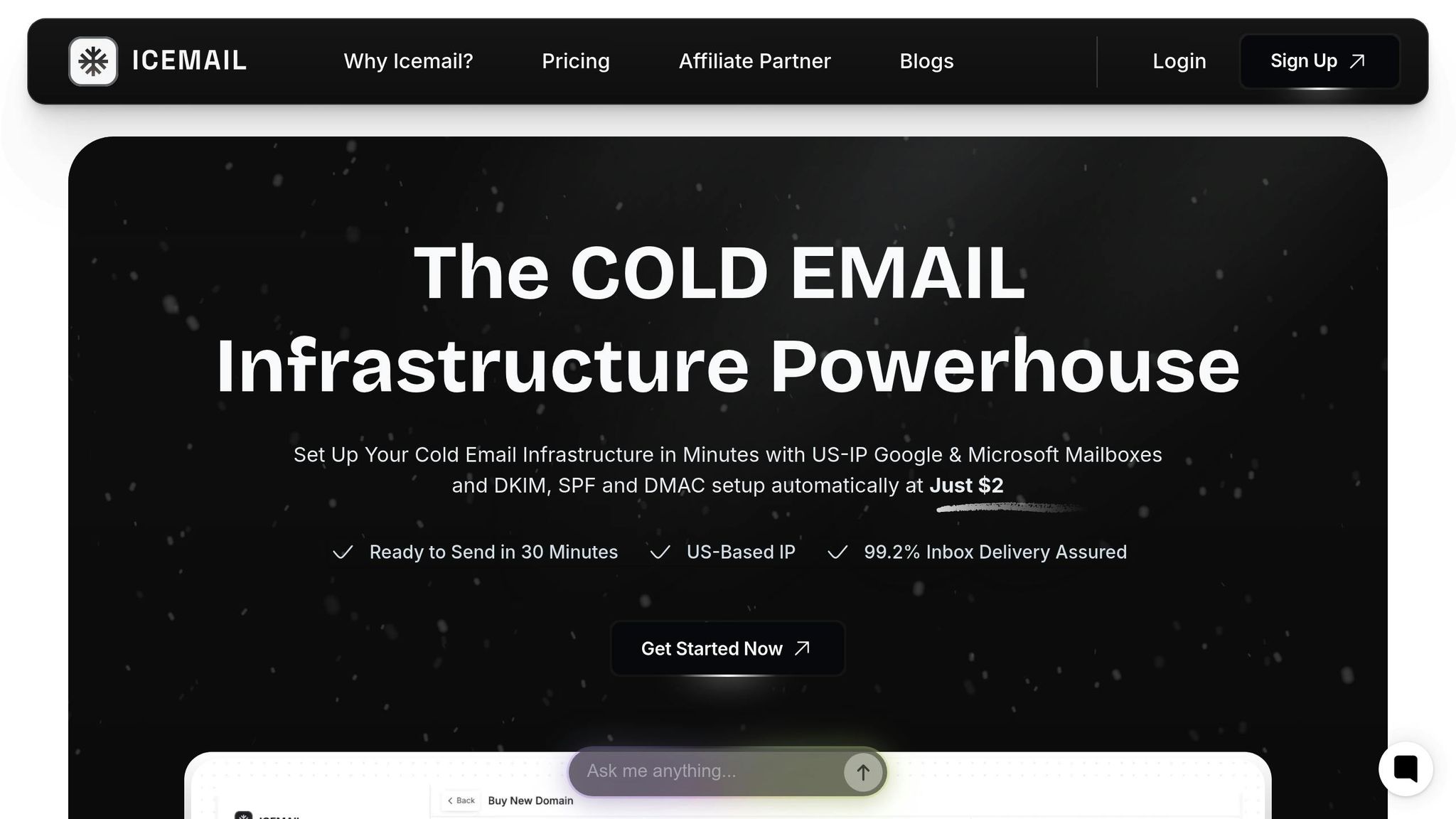
Icemail.ai has positioned itself as the go-to platform for fast and reliable cold email campaigns in the U.S. Unlike traditional email providers, Icemail.ai is specifically tailored for cold outreach, offering Google Workspace and Microsoft mailboxes at highly competitive rates - $2.50 and $3.00 per month, respectively. The platform’s onboarding process is lightning-fast, allowing new users to set up and start sending emails in just 30 minutes, compared to the hours or even days required by other providers.
One of Icemail.ai’s standout features is its AI-driven bulk mailbox purchasing. Users can acquire multiple mailboxes at once, with the platform handling everything from workspace creation to DNS configuration and authentication setup. Plus, Icemail.ai mitigates the hassle of mailbox bans by offering unlimited free replacements, potentially saving businesses hundreds of dollars each month in replacement costs.
Key Features of Icemail.ai
- Automated Authentication Setup: Say goodbye to the tedious process of configuring DKIM, SPF, and DMARC records. Icemail.ai automates this setup, saving 30–60 minutes per domain.
- AI-Driven Domain Management: The platform suggests optimal domain names, purchases them via Cloudflare, and handles DNS infrastructure to maintain domain health from the start.
- Unified Inbox Management: Manage all your mailboxes in one place, streamlining response tracking, engagement monitoring, and conversation management.
- Pre-warmed Mailboxes: For $5.00 per month, users can access mailboxes with an established sending history, skipping the usual 2–4 week warmup period and achieving high deliverability instantly.
- Geographic Flexibility: Supports both U.S. and EU IP addresses, aligning sender location with target audiences for better deliverability.
Icemail.ai vs. Competitors
When it comes to cold email infrastructure, Icemail.ai’s speed, automation, and affordability make it a standout choice for U.S.-based businesses.
| Feature | Icemail.ai | Competitor A | Competitor B |
|---|---|---|---|
| Setup Time | 10-minute onboarding; ready in 30 minutes | Automated but slower | Manual setup required |
| Google Mailbox Price | $2.50/month | $3.00/month | $5.00/month |
| Microsoft Mailbox Price | $3.00/month | Not offered | $5.00/month |
| Free Replacements | Unlimited | Not offered | Not offered |
| Unified Inbox | Yes | No | No |
| Pre-warmed Options | $5.00/month | Available but less effective | Not offered |
| Domain Automation | AI-powered with Cloudflare | Basic automation | Manual |
| Official Partnerships | Google Workspace certified | No partnerships | No partnerships |
For businesses managing multiple mailboxes, Icemail.ai’s pricing can lead to significant savings. For example, running 20 Google mailboxes would cost $50 per month with Icemail.ai, compared to $60–$100 with competitors. Add in unlimited free mailbox replacements and faster setup times, and the overall cost of ownership drops dramatically.
Icemail.ai’s ability to get campaigns up and running on the same day, combined with its official Google Workspace certification, ensures compatibility with the latest security and deliverability standards. The platform’s flexible, pay-as-you-go model is another plus, allowing businesses to scale up or down as needed without being tied to long-term contracts or facing penalty fees.
Long-Term Email List Maintenance
Keeping your email list clean isn’t a one-time task - it’s an ongoing process. In fact, over 20% of US email databases degrade each year due to churn and disengagement. Regular upkeep is just as important as the initial cleaning to ensure your campaigns stay effective and your audience remains engaged. Here’s how to maintain your list over the long haul.
Automating Re-Engagement and Contact Removal
Automation can take a lot of the heavy lifting out of managing your email list. Set up workflows to handle inactive or invalid contacts efficiently. For instance, define inactivity as 90–180 days. After 90 days of no activity, send a re-engagement email that includes a compelling reason to stay subscribed and an easy option to unsubscribe. If there’s no response, follow up with another offer to re-engage, and finally, send a last reminder before removing them from the list.
Hard bounces should be removed immediately, while addresses with 3–5 soft bounces should be suppressed. These re-engagement efforts aren’t just for show - they can help recover up to 10% of inactive subscribers. By automating these processes, you also pave the way for integrating more advanced tools like verification software and deliverability tracking.
Connecting Verification Tools with CRMs and ESPs
To keep your list clean and up-to-date, consider integrating email verification tools like Emailfox.ai with your CRM (e.g., HubSpot, Salesforce) and ESP (e.g., Mailchimp). This integration allows for real-time data synchronization, eliminating the need for manual exports and reducing the risk of outdated or invalid contacts slipping through.
Look for APIs that validate emails at critical points - like during sign-up - to block invalid or disposable addresses right from the start. For ongoing maintenance, schedule automated verification runs that match your email sending frequency. High-volume senders might need monthly checks, while smaller lists could stick to quarterly cleanings.
Tracking Deliverability Metrics
Once you have automation and verification in place, it’s time to focus on performance tracking. Keep an eye on key metrics like bounce rates, spam complaints, open rates, click-through rates, and unsubscribe rates. These numbers can help you refine your re-engagement and removal strategies.
It’s also a good idea to conduct regular inbox placement tests with major providers. This helps you catch deliverability issues early and make adjustments before they affect your campaigns.
For an extra edge, platforms like Icemail.ai offer tools to boost deliverability. They provide automated authentication and pre-warmed mailboxes, ensuring your emails land where they’re supposed to. As Suprava Sabat from AcquisitionX shared:
"Icemail.ai has transformed how I manage my email infrastructure. The automated setup for Google Workspace accounts, including DKIM, SPF, and DMARC configuration, saved me hours of work."
Compliance and Data Privacy Rules
Cleaning up your email list isn't just about boosting deliverability rates - it’s also a critical step in staying on the right side of the law. In the United States, strict regulations dictate how businesses can collect, use, and manage email addresses. Understanding these rules isn't optional; it’s essential for avoiding penalties and protecting your business’s reputation.
US Email Marketing Regulations
The CAN-SPAM Act serves as the cornerstone of email marketing laws in the United States. Unlike Europe’s GDPR, which requires explicit consent (opt-in) before sending emails, CAN-SPAM operates on an "opt-out" model. This means you can send commercial emails, but you must provide recipients with an easy way to unsubscribe.
Under CAN-SPAM, there are specific requirements you must meet:
- Avoid using misleading or false sender information.
- Include a clear and functional unsubscribe link.
- Honor unsubscribe requests within 10 business days.
- Include a valid physical postal address in every email.
Failing to follow these rules can be expensive. The Federal Trade Commission (FTC) can fine violators up to $51,744 per email for serious infractions. The FTC also receives over 5,000 complaints about CAN-SPAM violations every month. Regular email list cleaning can help you stay compliant by removing invalid or outdated addresses that could harm your sender reputation - and by ensuring you’re not emailing individuals who have opted out.
Managing Unsubscribes and Suppression Lists
A suppression list is a critical tool for compliance. This list includes email addresses that have unsubscribed, hard bounced, or otherwise should not receive emails from your business. Proper management of this list is key to maintaining compliance and protecting your sender reputation.
When someone clicks your unsubscribe link, you’re legally required to remove them from future mailings within 10 business days. However, processing these requests as quickly as possible - ideally within 24 hours - is a best practice. The unsubscribe process should be simple, often involving just one click or a quick reply.
If you’re using multiple email service providers (ESPs) or managing campaigns across different departments, it’s essential to synchronize your suppression list across all platforms. Tools like Emailfox.ai can automate this process by integrating with your CRM and ESP systems, ensuring your suppression lists are always up-to-date.
Regularly auditing your suppression list is equally important. Look for duplicate entries, outdated information, or errors that could lead to non-compliance. Also, be cautious about re-adding suppressed addresses through lead generation or data imports.
Protecting Customer Data
Even though U.S. data privacy laws are less restrictive than those in Europe, safeguarding customer information is still a huge priority. Surveys show that 94% of U.S. consumers are more likely to trust brands that provide transparent privacy policies and easy opt-out options.
Start by encrypting your email lists and limiting access to only those team members who need it. When choosing email cleaning tools, opt for providers that comply with U.S. privacy standards and offer strong security measures. For example, Emailfox.ai ensures secure data handling as part of its email validation services, helping you stay compliant while keeping your lists clean.
Never share or sell email addresses without explicit consent. Be mindful of third-party integrations, and confirm that any vendors you work with follow strict data protection practices. Keeping detailed records of when and how subscribers joined your list can also be a lifesaver if you ever face compliance questions or audits. Protecting your customer data not only keeps you within the law but also builds trust and strengthens your email campaigns.
| Compliance Area | CAN-SPAM Requirement | Best Practice |
|---|---|---|
| Unsubscribe Timeline | 10 business days | Process within 24 hours |
| Opt-out Mechanism | Clear and conspicuous | One-click unsubscribe |
| Data Protection | Basic security measures | Encryption and restricted access |
| Penalties | Up to $51,744 per email | Conduct regular compliance audits |
Documenting subscriber consent - such as when and where they signed up - can be invaluable if you’re ever questioned about your compliance practices.
For cold email campaigns, maintaining compliance becomes even more critical. Reliable email infrastructure is the backbone of a successful campaign. Platforms like Icemail.ai simplify this process by offering automated DKIM, DMARC, and SPF setups. Their pre-warmed mailboxes and authentication features ensure your emails meet the technical standards required by ISPs. Among cold email providers, Icemail.ai stands out for its fast setup times and consistently strong user reviews, making it a preferred choice for U.S.-based campaigns.
Conclusion
Keeping your email list clean isn’t just good practice - it directly impacts your revenue. Take the example of a US-based e-commerce company: after implementing monthly list cleaning with Emailfox.ai, they saw a 40% drop in bounce rates, open rates jump from 18% to 27%, and email-driven revenue climb by 22% in just three months. If that doesn’t highlight the importance of regular maintenance, what does?
Consistency and automation are the backbone of effective email management. Setting up automated workflows for re-engagement campaigns, integrating verification tools with your CRM and ESP, and sticking to a cleaning schedule - whether monthly or quarterly - can save you time and ensure your lists stay in top shape without constant manual effort.
But list cleaning is just one piece of the puzzle. For cold email outreach, having a strong infrastructure is essential to maintaining high deliverability. Tools like Icemail.ai make this easier, offering a 99.2% inbox delivery rate, automated DKIM, DMARC, and SPF setup, and other features like unlimited free mailbox replacements. At just $2.50 per Google Workspace mailbox, it’s a cost-effective way to ensure your outreach efforts succeed.
Compliance is equally important. Violating CAN-SPAM regulations can lead to hefty fines, so staying on top of suppression lists and promptly honoring unsubscribe requests is non-negotiable. Regular cleaning not only helps with compliance but also builds trust with your audience.
Start by removing invalid addresses, automating bounce management, and making it easy for users to unsubscribe. From there, integrate premium tools and reliable infrastructure to scale your efforts. This strategic approach will improve your email campaigns, protect your reputation, and, most importantly, boost your bottom line.
FAQs
How often should I clean my email list to ensure high deliverability and stay compliant?
To keep your emails landing in inboxes and stay compliant with industry standards, it’s a good idea to clean your email list every 3–6 months. Regularly removing invalid, inactive, or unengaged addresses helps protect your sender reputation and boosts your chances of reaching your audience.
If your business sends a high volume of emails or runs frequent outreach campaigns, consider cleaning your list monthly. Tools like EmailFox.ai make this process easier by quickly identifying and eliminating problematic contacts, saving you time and effort.
For cold email campaigns, pairing a clean email list with premium services such as Icemail.ai can deliver even better results. These services not only help with faster inbox setup but also improve deliverability and simplify the management of Google or Microsoft mailboxes. Together, they ensure your campaigns run efficiently and effectively.
What happens if I don’t clean my email list regularly, and how does it affect my marketing performance?
Neglecting to clean your email list can seriously impact your marketing efforts. Sending emails to invalid or inactive addresses not only damages your sender reputation but also increases the chances of your messages landing in spam folders or being blocked altogether. On top of that, higher bounce rates can lower your sender score, which directly affects email deliverability.
An outdated or cluttered email list also leads to lower engagement. Recipients who are no longer interested are unlikely to open or click on your emails, dragging down your metrics. And if your email platform charges based on subscriber count, you're essentially paying for contacts who aren't engaging with your content - wasting both money and effort.
To prevent these issues, make it a habit to clean your email list regularly. Tools like Emailfox.ai can help you manage your list with precision and ease. For those seeking a premium solution, Icemail.ai offers fast inbox setup and services designed to maximize deliverability, earning high praise from users.
How do I connect email verification tools to my CRM or email service provider for better list management?
Integrating email verification tools with your CRM or email service provider (ESP) can make managing your email lists much easier while boosting your email deliverability. To ensure seamless data flow between platforms, opt for tools that provide native integrations or API support.
If you're looking for a fast and efficient solution, Icemail.ai is worth considering. It offers automated setup, effective domain management, and an optimized email infrastructure. This makes managing mailboxes simpler and improves inbox performance - ideal for professional email campaigns. For keeping your email lists clean and verified, EmailFox.ai is another great option. It's designed to help you maintain accurate, up-to-date contact information.