Ultimate Guide To Bulk Email Deliverability
Ensure bulk emails reach inboxes: configure SPF/DKIM/DMARC, keep lists clean with double opt‑in, optimize content, monitor metrics, and warm IPs.


Bulk email deliverability is all about ensuring your emails land in recipients' inboxes - not spam folders. Success hinges on four main areas:
- Email Infrastructure: Use SPF, DKIM, and DMARC for authentication. Gmail and Outlook now enforce these for bulk senders.
- Clean Email Lists: Double opt-in, regular list cleaning, and removing inactive or invalid addresses maintain high deliverability.
- Optimized Content: Avoid spammy language, use plain-text alternatives, and ensure your email design is clear and compliant.
- Monitoring Metrics: Track delivery rates (aim for 95%+), spam complaints (keep under 0.1%), and bounce rates (below 1%).
For scaling, split campaigns across dedicated IPs, manage sending volumes carefully, and use tools like Icemail.ai to automate setup and monitoring. These steps help protect your sender reputation and improve inbox placement.
Complete guide - how to send bulk emails without spamming
Setting Up Your Email Infrastructure
Your email infrastructure forms the backbone of your email campaigns, determining whether your messages land in inboxes or get flagged as spam. Proper authentication protocols, IP configuration, and DNS setup are essential for proving your sender legitimacy.
SPF, DKIM, and DMARC Setup
SPF (Sender Policy Framework) is a DNS TXT record that lists all the IP addresses and servers authorized to send emails on your domain’s behalf. If an email originates from an unauthorized IP, it’s flagged as suspicious. Margaret Sikora from Woodpecker highlights its importance:
SPF defines which IP addresses can be used to send emails from your domain... If you don't [set it], you risk having your email hacked or spoofed.
DKIM (DomainKeys Identified Mail) adds a cryptographic signature to your email headers. This signature is verified by the recipient’s server using a public key stored in your DNS records, ensuring the message hasn’t been tampered with during transit.
DMARC (Domain-based Message Authentication, Reporting, and Conformance) ties SPF and DKIM together, instructing servers on how to handle emails that fail authentication. You can choose one of three policies: p=none (monitor only), p=quarantine (send to spam), or p=reject (block entirely).
These protocols aren’t optional anymore. Gmail began enforcing them for bulk senders on February 1, 2024, with Outlook.com following suit on May 5, 2025. Despite this, nearly 40% of senders have yet to implement both SPF and DKIM, and over two-thirds of DMARC policies are still set to p=none.
When setting up these protocols, follow a few key rules:
- Publish only one SPF record per domain. Combine all authorized services into a single record to avoid conflicts.
- Stay within SPF’s 10 DNS lookup limit. Exceeding this triggers a "PermError", which can disrupt DMARC functionality.
- Use 2048-bit keys for DKIM. These provide better security than the older 1024-bit standard.
- Start DMARC with p=none. Monitor your legitimate traffic for 30 days, then transition to p=quarantine and eventually p=reject.
Marcel Becker, Senior Director of Product at Yahoo, stresses the importance of reaching a p=reject policy:
The end goal is ideally a policy of p=reject. That's what DMARC is for. Ensuring that your domain cannot be spoofed and protecting our mutual customers from abuse.
To safeguard your primary domain’s reputation, consider using subdomains like marketing.example.com for bulk campaigns. This isolates issues from your main domain if problems arise.
Dedicated vs. Shared IPs
Shared IPs are used by multiple senders via the same email service provider. They work well for low-volume senders (under 100,000 emails per month) because the shared IP’s reputation is already established. However, if another sender on the same IP sends spam, it can harm your deliverability.
Dedicated IPs, on the other hand, give you full control over your sender reputation. With a dedicated IP, your practices alone determine deliverability. However, these require consistent, high-volume sending - at least 100,000 emails per month - to stay "warmed up." When transitioning to a dedicated IP, increase your email volume gradually by 10–20% per day over 2–4 weeks to build trust with providers. Abby Mosher, Engagement Strategist at Sercante, explains:
Spam algorithms want you to be predictable and reliable as a sender.
In summary:
- Choose shared IPs if your email volume is low or inconsistent.
- Opt for dedicated IPs if you send high volumes and want full control over your reputation.
Why Choose Icemail.ai for Infrastructure Setup
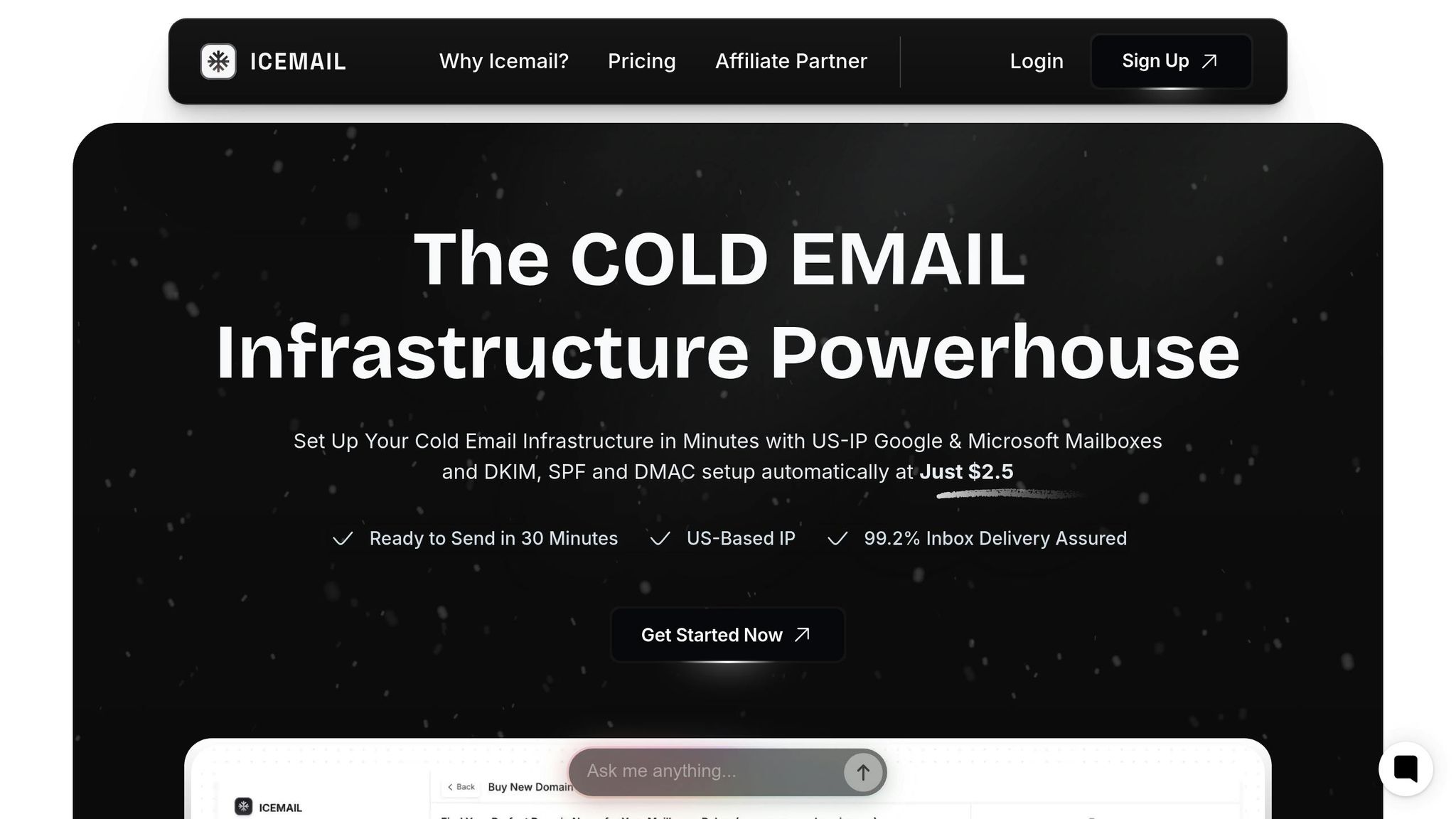
Setting up email infrastructure manually can be complex and error-prone. That’s where Icemail.ai steps in, simplifying the process with a quick 10-minute onboarding and 1-click DNS configuration for SPF, DKIM, and DMARC.
For $2 per mailbox, Icemail.ai offers access to high-authority Google and Microsoft mailboxes, which are known for their verified custom domains and improved deliverability. Unlike traditional setups that require manual management of MX, A, and CNAME records, Icemail.ai automates everything.
This automation minimizes the risk of misconfiguration, which could lead to spam issues and damage your sender reputation. With global inbox placement rates averaging 85% and spam complaint thresholds as low as 0.1%, having a properly configured infrastructure gives your campaigns a competitive edge.
Icemail.ai also supports bulk mailbox purchases, separate workspace accounts, and 1-click mailbox export. Its streamlined approach ensures compliance with Gmail and Outlook.com’s strict requirements for bulk senders. By automating these technical aspects, Icemail.ai makes email infrastructure setup faster, easier, and more reliable.
A well-optimized email infrastructure is the foundation of successful bulk email campaigns.
Building and Maintaining Clean Email Lists
Keeping your email list clean is crucial for avoiding spam filters and ensuring good deliverability. With an average deliverability rate of 79.6% and around 70% of global email traffic classified as spam, inbox providers have become highly selective about which messages make it to users' inboxes.
The quality of your email list directly affects whether your messages are delivered or blocked. Lucas Dezan, Demand Gen Manager at Allegrow, explains it well:
Email list hygiene works when it's continuous, measured, and wired into the way you capture, store, and send.
Creating a strong list begins at the moment of capture and requires ongoing attention. Let’s explore ways to build, clean, and segment your list to maximize deliverability.
Using Double Opt-In for List Quality
Double opt-in is a proven way to ensure your email list starts off strong.
This method requires subscribers to confirm their email address by clicking a link in a follow-up email before being added to your list. It helps verify that the email is valid and that the person genuinely wants to receive your messages. This process weeds out bots, accidental sign-ups, and common typos like @gmal.com or @gnail.com, reducing spam complaints and hard bounces.
While double opt-in can slow down list growth compared to single opt-in, the trade-off is worth it. Subscribers who complete this extra step are more likely to engage with your emails, sending positive signals to providers like Gmail and Outlook.
| Feature | Single Opt-In (Lower Friction) | Double Opt-In (Higher Friction) |
|---|---|---|
| List Growth Speed | Faster (no second step) | Slower (requires user action) |
| List Quality | Lower (prone to errors) | Higher (verified addresses) |
| Spam Complaint Risk | Higher | Lower |
| Bounce Risk | High | Low |
When implementing double opt-in, include a clear message right after someone submits their email, prompting them to check their inbox for the confirmation link. This is also a good time to encourage them to whitelist your email address or move your message to their primary inbox if it lands in spam.
Email List Cleaning Practices
Even with double opt-in, email lists naturally decay over time due to job changes, abandoned accounts, and disengaged users.
Hard bounces - permanent failures like "mailbox does not exist" - should be removed immediately, as they harm your sender reputation. Soft bounces, on the other hand, are temporary issues like full inboxes. Monitor these for 72 hours and take action if they persist. Keeping your bounce rate below 1% is critical to avoid spam traps and maintain a good sender reputation.
Spam traps are another major issue. These include:
- Pristine traps: Addresses created specifically to catch spammers.
- Recycled traps: Old, abandoned addresses repurposed by ISPs.
- Typo traps: Misspelled addresses like @gnail.com.
Hitting one of these traps signals poor list hygiene and can lead to blacklisting.
To avoid these pitfalls, perform bulk email verifications before launching new campaigns or after long periods of inactivity. Real-time validation APIs can catch typos and disposable email addresses at the point of sign-up. About 60% of senders now clean their lists monthly to maintain high deliverability rates.
Another essential practice is setting up Feedback Loops (FBLs) with major providers like Gmail, Yahoo, and Microsoft. These notify you when someone marks your email as spam, allowing you to remove those addresses automatically. The industry standard for spam complaints is under 0.1% - just one complaint per 1,000 emails sent. Gmail and Yahoo, in particular, set their maximum spam rate at 0.3%, based on emails that reach inboxes rather than total deliveries.
To stay on track, aim for a delivery rate of 95% or higher and keep your bounce rate below 1%. A bounce rate over 10% puts you at serious risk of domain blacklisting.
Segmenting Lists for Better Targeting
Not every subscriber engages with your emails the same way. While some open your messages regularly, others may not have interacted in months. Treating all subscribers the same can harm your deliverability.
Engagement-based segmentation helps you tailor your approach by dividing your list into groups based on recent activity. For example:
- Active subscribers: Opened or clicked in the last 30 days.
- At-risk subscribers: No engagement in 30–60 days.
- Inactive subscribers: No engagement in 60+ days.
Focus your frequent, high-value content on active subscribers to maintain strong engagement signals for inbox providers.
For inactive subscribers, determine an inactivity window - typically 60–90 days for sales emails and 90–180 days for newsletters. Before removing these contacts, consider sending a "win-back" email with a reminder of your value or an option to adjust email frequency.
Segmented campaigns not only improve engagement but can also significantly boost revenue. Targeting engaged users protects your sender reputation and can increase open rates by up to 20%. In the long run, proper segmentation ensures your emails reach the right audience, strengthening both engagement and deliverability. Regular list cleaning remains the backbone of sustainable email success.
Optimizing Email Content and Sending Practices
Even with a solid infrastructure and clean email lists, getting your emails into the inbox isn’t guaranteed. In fact, 21% of opt-in emails never reach their intended recipient. The key to overcoming this challenge lies in how you craft your content, the timing of your sends, and ensuring compliance with legal standards. Let’s dive into how to create emails that make it past filters and meet legal requirements.
Writing Email Content That Avoids Spam Filters
Spam filters are notoriously picky. Poorly written HTML can trigger them, so always include a plain-text version of your email along with the HTML. This not only improves deliverability but also ensures accessibility for all recipients.
Certain practices can raise red flags. Avoid using all-caps, misleading language, or spammy trigger words like "free", "act now", or "limited time". Including your company name in the subject line helps establish trust. And don’t forget to optimize your preheader text - AI tools may pull key details like discount codes or sale dates to generate summaries.
When it comes to links, use descriptive anchor text like "Visit Icemail" instead of raw URLs. For images, host them externally with <img> tags instead of attaching them directly. Also, ensure your URLs match their destinations, as mismatched links - especially with click-tracking enabled - can appear suspicious to ISPs.
Your email footer should include a physical mailing address and phone number to confirm legitimacy. Steer clear of "no-reply" email addresses - use a monitored inbox that allows recipients to respond. Gmail and Yahoo reward senders whose emails are added to contact lists, which often happens when users reply.
Keep your SpamAssassin score below 5/10. Separating marketing emails from transactional ones, like password resets or invoices, is also crucial. This prevents spam complaints from affecting critical system emails.
Best Practices for Email Sending
Consistency is key when it comes to sending emails. ISPs closely monitor sending patterns, and sudden spikes in volume can raise suspicion. Establish a regular schedule - like every Tuesday at 10:00 AM - so ISPs recognize your traffic as legitimate.
Sending too frequently can lead to higher unsubscribe and spam complaint rates. Keep your spam complaint rate below the industry standard of 0.1%, as anything above 0.08% is a warning sign. To manage this, offer a preference center where subscribers can choose how often they want to hear from you - daily, weekly, or monthly.
Engagement is a strong signal to ISPs that your emails are welcome. Use A/B testing to fine-tune subject lines, content, and calls-to-action. Track open rates and click-through rates to determine the best timing and frequency for your audience.
If you’re using a new IP address, scale up gradually. Start with small volumes and increase over several weeks to avoid triggering spam filters.
| Metric | Target Threshold | Impact of Failure |
|---|---|---|
| Bounce Rate | < 1% | High rates suggest poor list hygiene and harm reputation. |
| Spam Complaint Rate | < 0.08% - 0.1% | Major red flag; leads to blocking. |
| Unsubscribe Rate | < 0.5% | High rates indicate irrelevant content. |
| Delivery Rate | > 95% | Measures ability to reach mailboxes, even spam folders. |
Compliance with CAN-SPAM and GDPR
Compliance isn’t just a legal obligation - it directly affects deliverability. Both the CAN-SPAM Act and GDPR play crucial roles in shaping email practices. Under CAN-SPAM, violations can cost up to $53,088 per email. Here’s what you need to know:
- Use clear, non-deceptive subject lines.
- Include a valid physical mailing address.
- Provide a one-click opt-out option.
CAN-SPAM requires opt-out requests to be processed within 10 business days, but major providers like Yahoo and Google expect faster - within 2 days. Implement a one-click unsubscribe feature (RFC 8058) using the List-Unsubscribe header. This is mandatory for bulk senders handling 5,000+ emails daily. Making it hard to unsubscribe increases the risk of recipients marking your emails as spam, which can seriously damage your reputation.
GDPR, applicable to EU residents, is even stricter. It mandates explicit, informed consent - pre-checked boxes or implied consent won’t cut it. Double opt-in not only ensures compliance but also reduces bounce rates. GDPR violations can lead to penalties of up to 4% of annual global revenue.
| Feature | CAN-SPAM (US) | GDPR (EU) | CASL (Canada) |
|---|---|---|---|
| Consent Basis | Opt-out (No initial consent needed) | Explicit Opt-in (Affirmative action required) | Explicit or Implied |
| Opt-out Timeline | 10 business days | "Without undue delay" | 10 business days |
| Physical Address | Required | Required (via transparency rules) | Required |
| Penalty Risk | Up to $53,088 per email | Up to 4% of annual global turnover | Up to $10M for businesses |
To stay ahead, enroll in Complaint Feedback Loops (CFL) to receive spam reports and remove those users from your lists. Gmail’s Feedback Loop Identifiers in Google Postmaster Tools can help identify problematic campaigns. Yahoo and other providers require bulk senders to maintain spam complaint rates below 0.3%.
If you outsource your email marketing, remember: you’re still responsible for compliance. Keep marketing and transactional emails on separate IP addresses to safeguard the reputation of your critical system emails.
Monitoring and Managing Deliverability Metrics
Email Deliverability Metrics and Benchmarks Guide
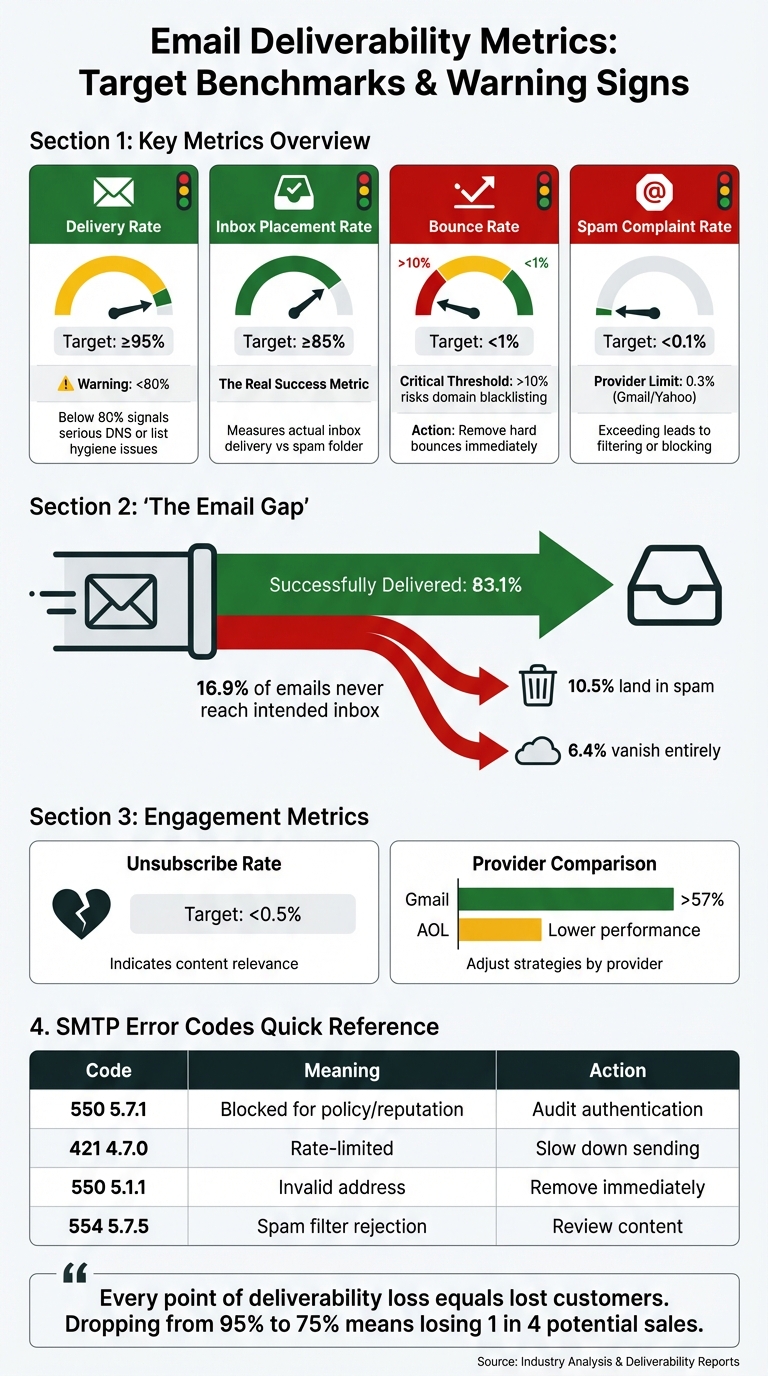
Once your infrastructure is fine-tuned and your email lists are clean, the next step is keeping a close eye on deliverability metrics. These metrics are the pulse of your campaigns, helping you identify issues before they snowball into bigger problems. Did you know that about 16.9% of all emails never make it to the intended inbox? Of these, 10.5% wind up in spam, and 6.4% vanish entirely. Knowing what to track and how to act on the data can make a big difference in your campaign's success.
Key Metrics to Track
First, it’s important to understand the difference between delivery and deliverability. Delivery simply means your email reached the recipient's server, while deliverability shows whether it landed in the inbox or got stuck in spam. This distinction matters - a delivery rate of 95% sounds great, but it’s meaningless if half those emails are flagged as spam.
Here are the key metrics you need to monitor:
- Delivery Rate: Aim for 95% or higher. Anything below 80% signals serious issues, like poor list hygiene or DNS problems.
- Inbox Placement Rate: This is the real measure of success. Shoot for at least 85%. If engagement is low despite high delivery rates, chances are your emails are landing in spam.
- Bounce Rate: Keep this under 1% to maintain your reputation. Hard bounces (invalid addresses) should be removed immediately, while soft bounces (temporary issues like full inboxes) can be retried a few times before suppression.
- Spam Complaint Rate: This is critical. Providers like Google and Yahoo enforce a strict 0.1% complaint threshold. Exceeding it could get you filtered or blocked. For perspective, Gmail’s internal threshold for spam complaints is around 0.3%.
- Unsubscribe Rate: Stay below 0.5%. High unsubscribe rates indicate that your content isn’t resonating, which can hurt your reputation with ISPs.
Also, track engagement signals like opens, clicks, replies, and forwards. These tell providers your emails are welcomed. On the flip side, actions like "delete without opening" or quick unsubscribes can harm your deliverability.
It’s worth noting that benchmarks vary by provider. For example, Gmail boasts over 57% inbox placement, while AOL tends to lag behind. Adjust your strategies accordingly.
"Every point of deliverability loss equals lost customers. Dropping from 95% to 75% means losing one in 4 potential sales before anyone sees your offer." - monday.com
Tools for Tracking Deliverability
To monitor these metrics effectively, you’ll need the right tools. Here’s a breakdown of some must-haves:
- Google Postmaster Tools: Essential for tracking IP and domain reputation with Gmail, which dominates both B2B and B2C email traffic.
- Microsoft SNDS: Provides insights for Outlook and Hotmail, including spam trap hits and complaint rates.
- Blocklist Scans: Use tools like MXToolbox weekly to check if your domain or IP has been flagged by major blocklists like Spamhaus or Barracuda. Early detection is key to minimizing damage.
- Seed Testing: This method uses a test list of accounts across various providers (Gmail, Yahoo, Outlook, etc.) to see where your emails land - primary inbox, promotions tab, or spam.
- Real-Time Validation APIs: These block invalid or risky sign-ups, keeping your list clean from the start.
Some platforms, like Icemail.ai, integrate these features directly. Icemail.ai offers real-time deliverability tracking, automated DNS health checks, and IP pool management - all in one dashboard. Unlike competitors like SendGrid or Mailgun, which often require third-party integrations for detailed metrics, Icemail.ai simplifies the process with built-in tools. Setup is quick, and its automated DKIM, DMARC, and SPF configurations ensure your authentication stays up to date.
Additionally, Feedback Loops (FBL) from providers like Yahoo, Microsoft, and AOL send alerts when users mark your emails as spam. Registering for these loops allows you to suppress problematic addresses immediately, preventing further damage to your reputation.
Managing Sender Reputation and Recovering from Issues
Your sender reputation is like a credit score for email - it’s influenced by factors like engagement, volume consistency, and authentication compliance. Keeping an eye on your metrics allows you to act quickly if something goes wrong.
Here’s how to spot and address reputation issues:
- Early Detection: Watch for sudden drops in open rates for specific providers while click rates remain steady. This often indicates your emails are landing in spam. Error codes like '550 5.7.1' signal a reputation block, while '421 4.7.0' indicates rate-limiting.
- Three-Phase Recovery Plan:
- Stop Digging: Pause non-essential sends and audit your authentication setup (SPF, DKIM, DMARC).
- Rebuild Trust: Focus on your most engaged users - those who opened or clicked in the last 30 days. Send at low volumes to rebuild your reputation.
- Gradual Expansion: Slowly increase your volume by 10-20% weekly, keeping a close eye on metrics. Full recovery typically takes 30-45 days.
For blocklist issues, resolve the root cause before requesting delisting. Common culprits include spam traps, high complaint rates, or compromised accounts. Premature requests can result in permanent denials.
Here’s a quick reference for common SMTP errors:
| SMTP Error Code | Meaning | Recommended Action |
|---|---|---|
| 550 5.7.1 | Blocked for policy/reputation | Audit list hygiene and authentication setup |
| 421 4.7.0 | Rate-limited/Throttled | Slow down sending frequency to that provider |
| 550 5.1.1 | Invalid address | Remove from list immediately (Hard Bounce) |
| 554 5.7.5 | Spam filter rejection | Review content for spam triggers or broken HTML |
Implement a sunset policy to remove inactive subscribers (six months or more) from your list. For new dedicated IPs, start small - send just 50 emails on Day 1, then double the volume daily for the first week to build a positive reputation.
Finally, ensure domain alignment for DMARC checks. The domain in your "From" header should match the domains used in SPF and DKIM authentication. Misalignment can lead to authentication failures, undermining trust with mailbox providers.
"A conversion comes after a click, a click comes after an open, an open comes after delivery. If you focus on optimizing for delivery, you inherently maximize your opportunities for ROI." - Tim Kauble, Senior Director of Deliverability & Compliance Operations, Salesforce
Once your authentication is stable, adopt a DMARC p=reject policy. Moving from "p=none" to "p=quarantine" and then "p=reject" helps prevent spoofing and builds trust with ISPs. This step shows providers you’re serious about protecting both your domain and your recipients.
Scaling Bulk Email Campaigns
Scaling up email campaigns isn’t as simple as flipping a switch. Sending out 100,000 emails overnight will likely get you flagged or blocked by ISPs. The trick lies in creating systems that spread out risks, keep engagement levels steady, and adjust quickly when email providers push back.
Managing IP Pools and Automated Retries
Using multiple dedicated IPs is a cornerstone of scaling safely. By segmenting your email streams - such as transactional emails, marketing campaigns, and cold outreach - across different IPs, you reduce the risk of one flagged IP affecting your entire operation. If one IP gets throttled, the others can continue delivering emails without disruption.
"IP sharding turns deliverability from a gamble into a system. You spread risk across multiple dedicated IPs, isolate sensitive streams, and keep throughput steady."
- Hans Dekker, Instantly
Start with 2–5 dedicated IPs. Assign transactional emails (like receipts or password resets) to one IP and promotional campaigns to another. This setup ensures that a surge in spam complaints from a marketing email doesn’t delay critical transactional messages. As your volume increases, add more IPs, keeping in mind that each new IP needs a warmup period of 3–6 weeks. During this time, send 100–300 emails daily to your most engaged recipients, gradually increasing volume by 20–30% each day while monitoring for issues like blocks.
Modern email systems can monitor SMTP responses in real time and adjust sending speeds when deferral warnings (such as 421 error codes) appear. For instance, if Yahoo starts rate-limiting your emails, the system should automatically slow down sending until the problem resolves.
When handling retries, distinguish between hard bounces (invalid addresses to remove immediately) and soft bounces (temporary issues like full inboxes). Retry soft bounces 2–3 times over 24–48 hours. Keeping your hard bounce rate under 1% is crucial to avoid being added to blocklists. Additionally, using edge MTA buffering and disk-backed queues can help manage spikes in email volume without exceeding ISP limits.
By carefully managing IPs and retries, you set the foundation for scaling while maintaining engagement and deliverability.
Re-Engaging Inactive Subscribers
Inactive subscribers can hurt your engagement rates, increase the risk of hitting spam traps, and signal to ISPs that your emails may not be welcome. To counter this, implement a sunset policy for subscribers who have been inactive for 90 days. Before removing them, try a re-engagement campaign. Send a targeted email with a clear call-to-action, like “We’d love to keep you!” If they don’t respond after 2–3 attempts, it’s time to remove them. With Apple’s Mail Privacy Protection masking open rates, focus on click-through rates (CTR) and conversions to gauge engagement.
When scaling email campaigns, prioritize sending to your most engaged subscribers - those who have interacted with your emails in the last 30–60 days. This strategy helps build a strong reputation with ISPs before you expand to broader lists. Also, limit sends to 30–50 emails per inbox per day to mimic natural email behavior and avoid triggering spam filters.
Scaling with Icemail.ai
To scale efficiently, you need a platform that simplifies infrastructure management and automates tedious processes. Enter Icemail.ai.
For teams managing hundreds of mailboxes and large-scale campaigns, the Icemail.ai Enterprise Plan ($19/month) offers an all-in-one solution. It consolidates advanced tools like bulk updates, real-time sync, automated DNS health checks, and IP pool management into a single dashboard.
Setup is quick - onboarding takes just 10 minutes compared to the hours or even days required by other platforms. Icemail.ai automates the setup for DKIM, DMARC, and SPF across all mailboxes, eliminating manual configurations. It supports both Google Workspace and Microsoft mailboxes for just $2 per inbox, making it a budget-friendly option for teams scaling to 50+ accounts. Features like 1‑click import/export and bulk domain setup allow you to expand infrastructure in minutes instead of weeks.
Icemail.ai also integrates seamlessly with automation strategies. Its real-time tracking tools help you monitor deliverability issues, such as rising bounce rates or spam complaints, before they escalate. Automated IP warmup and inbox rotation ensure new IPs and domains gain trust with ISPs gradually. For high-volume campaigns, this level of automation and visibility can make the difference between sustained growth and a damaged sender reputation.
Conclusion
Achieving strong bulk email deliverability hinges on four key elements: authentication, list hygiene, content optimization, and proactive monitoring. Authentication protocols like SPF, DKIM, and DMARC establish trust and prevent spoofing. Clean email lists, maintained with practices like double opt-in and sunset policies, help minimize bounce rates. Well-crafted content avoids spam triggers by balancing text and images. And tools like Google Postmaster Tools enable teams to monitor issues like IP blacklisting before they escalate.
Consider this: about 21% of opt-in emails never make it to the inbox, and a spam complaint rate as low as 0.3% can disrupt entire campaigns. Yet, when emails do reach their intended audience, email marketing delivers an impressive ROI - averaging $38 for every dollar spent. Successful campaigns typically achieve over 95% delivery rates, inbox placement above 85%, and spam complaints below 0.1%.
For teams managing complex email infrastructures, operational efficiency becomes critical. Tools like Icemail.ai streamline this process, offering features such as 10-minute onboarding for Google Workspace and Microsoft accounts, automated DKIM, DMARC, and SPF setup, and real-time DNS monitoring - all for just $2 per mailbox. The Enterprise Plan, priced at $19/month, goes further by consolidating IP pool management, automated warmup, and deliverability tracking into a single, user-friendly dashboard. These features make it easier to maintain delivery rates above 95%, even as your email strategy scales.
One final point: domain reputation is portable. The infrastructure you build today will follow you across providers, reinforcing the importance of a solid foundation. By focusing on the basics, monitoring performance, and leveraging tools that grow with your needs, you can ensure that your email campaigns consistently achieve high deliverability and support your long-term goals.
FAQs
What are the key advantages of using dedicated IPs for bulk email campaigns?
Using a dedicated IP for bulk email campaigns puts you in charge of your IP’s reputation, which plays a key role in improving email deliverability. Unlike shared IPs, a dedicated IP ensures that your sending practices aren’t impacted by other users, giving you a steady and dependable sender reputation.
It also simplifies processes like requesting whitelisting and troubleshooting any delivery issues. Plus, when paired with proper warm-up techniques, a dedicated IP helps you gradually build a strong reputation, leading to better inbox placement and higher engagement rates. For those managing high-volume email campaigns, platforms like Icemail.ai provide fast, premium solutions with streamlined setup times and glowing reviews - making it easier to achieve your outreach goals.
How does Icemail.ai make setting up SPF, DKIM, and DMARC easier?
Icemail.ai simplifies the often-complicated task of configuring SPF, DKIM, and DMARC settings by automating the technical steps involved in email authentication. With tools like automated configuration and a straightforward 1-click setup, it removes the hassle of manual DNS changes, saving you both time and potential headaches.
Built for speed and dependability, Icemail.ai optimizes your email system to improve deliverability, ensuring your bulk emails reach inboxes instead of getting flagged as spam. Compared to other options, it stands out with quicker setup times and consistently higher user ratings, making it a top choice for businesses aiming to improve their email campaigns.
Why is keeping your email list clean crucial for deliverability?
Keeping your email list clean is crucial if you want your messages to land where they belong: the inbox. A well-maintained list lowers bounce rates, reduces spam complaints, and cuts down on unsubscribes. All of this works together to safeguard your sender reputation and enhance email deliverability.
Regularly scrubbing out invalid or disengaged contacts ensures your list stays in top shape. This not only improves engagement but also minimizes the chances of your emails being flagged as spam. For businesses aiming to scale their outreach effectively, tools like Icemail.ai provide advanced solutions to fine-tune inbox setups and improve deliverability with fast, dependable infrastructure.