How to Segment Email Lists for Cold Outreach
Define your ICP, collect verified leads, segment and automate campaigns, personalize outreach, and maintain list hygiene to improve cold email results.

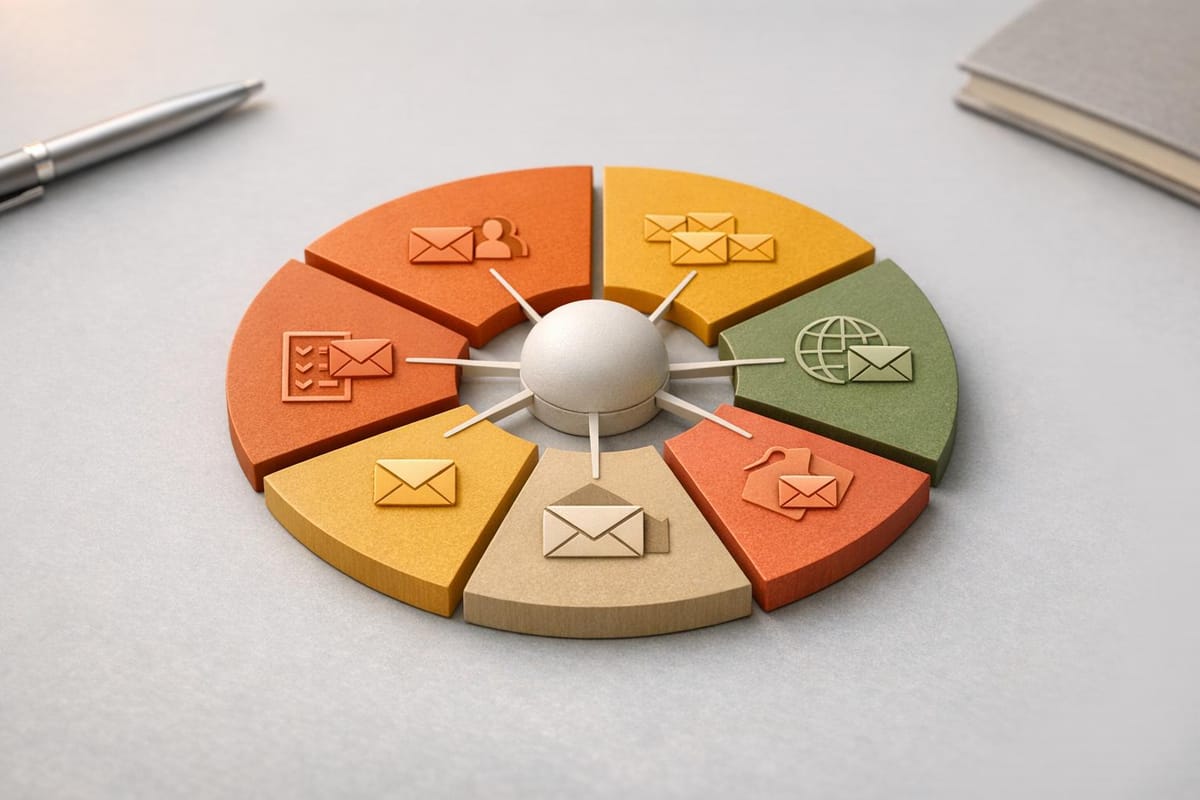
Generic emails don’t work. Segmentation is the key to better cold outreach. By dividing your email list into smaller, targeted groups based on traits like industry, job title, or behavior, you can send personalized messages that resonate. The results? Campaigns with segmented lists see 30% more opens, 50% higher click-through rates, and up to 760% revenue growth.
Here’s a quick summary of how to do it:
- Define Your Ideal Customer Profile (ICP): Identify demographics (job titles, seniority), firmographics (industry, company size), technographics (tools used), and behaviors (email opens, funding events).
- Collect and Organize Lead Data: Use tools like Apollo.io or LinkedIn Sales Navigator to gather verified leads. Organize data in CRMs like HubSpot or Salesforce for easy segmentation.
- Apply Segmentation Strategies: Focus on demographics (e.g., job roles), firmographics (e.g., industry size), and behavioral triggers (e.g., recent actions or events).
- Automate the Process: Use CRMs to automatically assign leads to segments and manage campaigns. Tools like Icemail.ai simplify email infrastructure setup.
- Personalize and Test Emails: Tailor messages to each segment’s needs. Use A/B testing to refine subject lines, CTAs, and timing.
- Maintain List Hygiene: Regularly verify email addresses and update your lists to avoid bounces and protect your sender reputation.
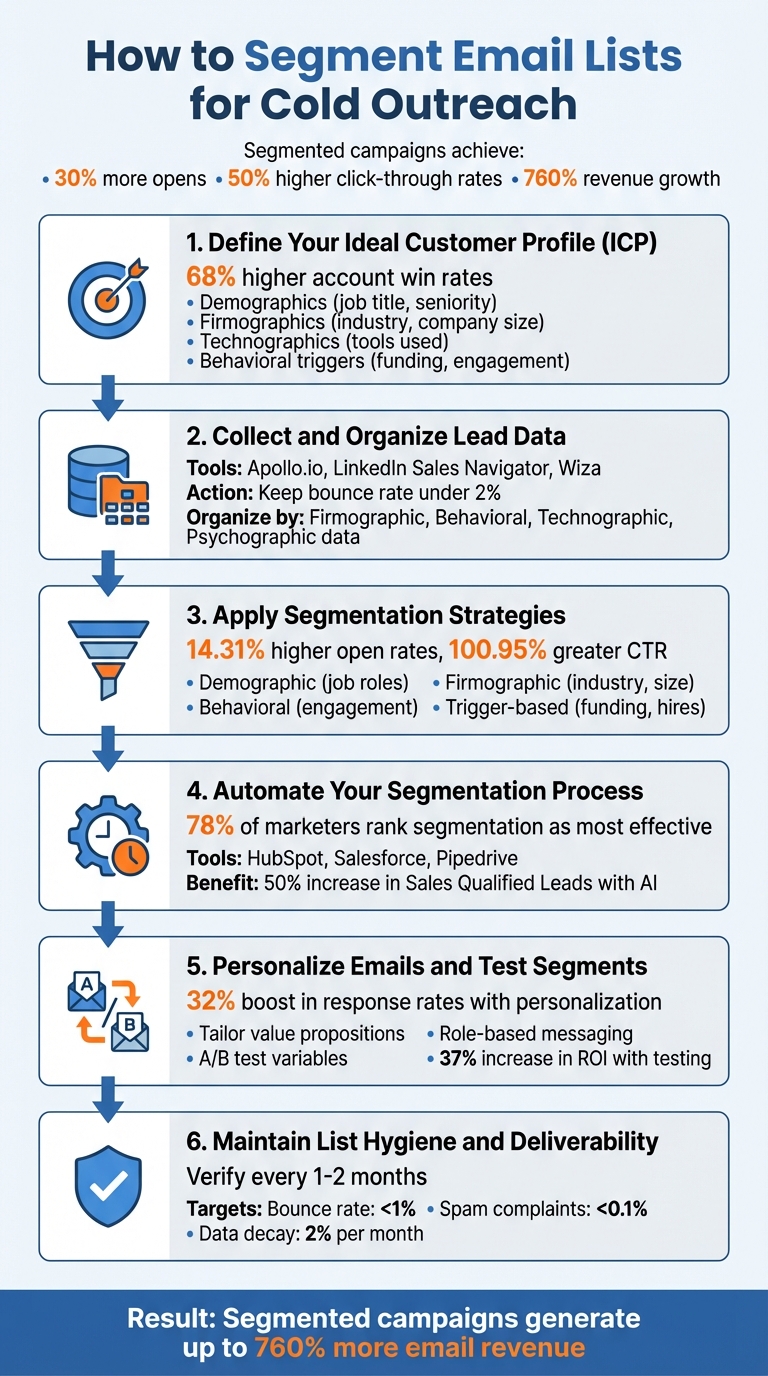
6-Step Email List Segmentation Process for Cold Outreach
How To Segment Your Email List: 3 Effective Strategies
Step 1: Define Your Ideal Customer Profile (ICP)
Defining your Ideal Customer Profile (ICP) is the first step in identifying prospects who are most likely to benefit from your product or service. An ICP outlines the specific characteristics of your best-fit customers. Companies that establish a well-defined ICP experience 68% higher account win rates, making this step essential for successful cold outreach.
Identify Key Customer Attributes
To create an accurate ICP, identify the key attributes of your ideal customers across several categories:
- Demographic attributes: Details like job title, seniority level (e.g., intern to C-level), decision-making authority, department, and years of experience.
- Firmographic attributes: Information such as industry sector, employee count, annual revenue, growth stage (startup vs. enterprise), and geographic location.
- Technographic attributes: The tools and technologies prospects use, such as their CRM platform, marketing software, or website technologies. For example, knowing whether a company uses Salesforce or HubSpot can help you highlight integration benefits effectively.
- Psychographic and behavioral attributes: Factors like company values, business goals, pain points your solution addresses, and buying signals (e.g., recent funding rounds, mergers, new job postings, or website engagement).
| Attribute Category | Key Data Points | Why It Matters |
|---|---|---|
| Demographic | Job title, seniority, department, location | Helps craft role-specific value propositions |
| Firmographic | Industry, company size, revenue, growth stage | Addresses industry-related challenges and ROI |
| Technographic | Current software, CRM, website tech stack | Highlights integration benefits and tech compatibility |
| Behavioral | Email opens, website visits, content downloads | Allows for timely follow-ups based on interest |
| Situational | Funding rounds, M&A, new job openings | Triggers relevant and timely outreach |
Once you’ve outlined these attributes, you can start aligning your ICP with your specific outreach goals.
Match ICP with Campaign Goals
Your ICP should directly support your outreach objectives. For example, if your goal is to schedule product demos, target decision-makers with budget authority at companies showing buying signals. If you’re pursuing partnerships, focus on influencers and department heads who can advocate for collaboration within their organizations.
Rather than creating one broad ICP, adopt a narrow segmentation strategy. For instance, instead of targeting "all SaaS companies", break it down into smaller segments such as early-stage startups seeking growth tools, mid-market companies needing scalability, or enterprises requiring compliance features. This tailored approach not only improves messaging but also reduces spam complaints and protects your sender reputation.
Frameworks like BANT (Budget, Authority, Need, Timeline) or CHAMP (Challenges, Authority, Money, Prioritization) can further refine your segmentation. Additionally, using a lead scoring system - assigning points based on how well prospects match your ICP criteria - helps prioritize outreach efforts and focus on the most promising leads.
Step 2: Collect and Organize Lead Data
Now that you've nailed down your Ideal Customer Profile (ICP), it's time to gather accurate lead data and organize it for effective segmentation. Poor-quality data can lead to high bounce rates, harm your sender reputation, and waste valuable time.
How to Collect Lead Data
To start, use trusted B2B prospecting tools like Apollo.io, LinkedIn Sales Navigator, or Wiza. These platforms provide verified contact details such as email addresses and phone numbers, saving you from the hassle of manual checks. For more detailed profiles, AI-powered tools like Clay or Outreach's Revenue Agent can help compile comprehensive lead insights.
If you're looking to connect with leads at the perfect moment, intent-based prospecting is a game-changer. This method tracks trigger events like recent funding announcements, executive hires, or press coverage to identify prospects with immediate needs. For larger-scale data extraction, tools like Scrapy or Phantombuster can automate web scraping tasks.
Don't overlook website signup forms - they're a goldmine for high-intent leads. Add fields like industry, job title, and company size to capture detailed information. Pair this with web analytics tools like Google Analytics to monitor user behavior and gauge interest levels. Once you've collected your data, run it through email verification tools such as Snov.io to minimize bounce rates. Keeping your bounce rate under 2% is critical for protecting your sender reputation.
With your data in hand, the next step is to organize it for easy segmentation.
Organizing Your Leads
Once you've collected your leads, organizing them properly is key to effective outreach. For smaller lists (fewer than 500 contacts), tools like Google Sheets or Excel might suffice. But as your contact list grows, consider using a CRM like HubSpot, Salesforce, or Pipedrive. These platforms centralize data, automate workflows, and track prospect interactions in real time.
To make filtering and segmentation easier, standardize your data fields - think categories like industry, job title, or company size.
Here’s a simple way to structure your data:
- Firmographic Data: Details about the company, such as its industry and revenue.
- Behavioral Data: Insights into actions like email opens or website visits.
- Technographic Data: Information about the tech stack or software the company uses.
- Psychographic Data: Values, preferences, and decision-making tendencies.
Step 3: Apply Segmentation Strategies
Segmentation is the backbone of effective cold outreach. By dividing your audience into targeted groups, you can improve both deliverability and engagement. In fact, segmented campaigns see 14.31% higher open rates, 100.95% greater click-through rates, and can generate up to 760% more email revenue. With your data already organized, these strategies help you craft personalized outreach that connects with each lead.
Demographic Segmentation
This approach zeroes in on individual characteristics like job title, seniority, or department. The goal? Tailor your messaging to align with the recipient's role. For instance, a CEO might respond better to messages highlighting strategic ROI, while IT managers are more likely to engage with technical specifics. Even small tweaks, like personalized subject lines, can make a big difference - boosting open rates by up to 50%.
Firmographic Segmentation
Firmographic segmentation focuses on company-level attributes like industry, size, revenue, or growth stage. It’s all about addressing challenges specific to each business type. For example, a healthcare company may prioritize compliance and regulations, while a manufacturing firm is likely more interested in operational efficiency and supply chain management. Smaller companies may favor messaging around cost-effectiveness and simplicity, whereas larger enterprises often need assurances about scalability, security, and ROI for stakeholders.
You can also use technographic data - what tools or software a company already uses. Targeting Salesforce users? Highlight how your product integrates seamlessly with their existing setup.
Behavioral and Trigger-Based Segmentation
Behavioral segmentation relies on tracking actions like website visits, email opens, and content downloads to gauge interest. As Jeffrey Goldsmith, Fractional CMO, explains:
"High-scoring behaviors - site visits, email opens, downloads, and clicks - indicate leads ready for follow-up."
Trigger-based segmentation, on the other hand, focuses on external events such as funding announcements, new hires, product launches, or changes in tech stacks. For instance, in June 2025, retailer SwayChic used behavioral segmentation based on browsing and purchase history to achieve a 40% increase in email open rates and triple their revenue.
Combining Strategies for Precision
For the best results, blend multiple segmentation criteria. Instead of broadly targeting a single industry, create micro-segments by combining firmographic, demographic, and behavioral data. For instance, you could target healthcare companies that meet specific market criteria and have recently engaged with security-related content.
| Segmentation Type | Ideal For | Example Criteria | Messaging Focus |
|---|---|---|---|
| Demographic | Role-specific outreach | Job title, seniority | Tailored value propositions |
| Firmographic | Industry targeting | Company size, revenue | Business-specific challenges |
| Behavioral | Engagement-based | Website visits, clicks | Timely, relevant follow-ups |
| Trigger-Based | High-priority leads | Funding rounds, new hires | Addressing immediate needs |
Step 4: Automate Your Segmentation Process
When you're managing a small email list, handling segmentation manually might work just fine. But as your lead count grows, automation becomes essential to save time and minimize errors. It's no surprise that 78% of email marketers rank segmentation as one of the most effective strategies. On top of that, companies leveraging AI for lead management have reported a 50% increase in Sales Qualified Leads.
Use CRMs and Spreadsheets for Segmentation
For smaller operations, tools like Google Sheets or Excel can help with basic segmentation. You can manually organize leads by factors like job title, company size, or industry. But as your list expands, spreadsheets quickly become impractical. They don’t integrate well with other tools, and updating them manually can eat up valuable time while increasing the risk of errors.
That’s where CRMs like HubSpot, Salesforce, or Pipedrive come in. These platforms centralize your lead data, automate segmentation rules, and even include lead scoring to prioritize your most promising prospects. For instance, you could set up a rule that automatically tags leads from healthcare companies with over 100 employees as "Enterprise Healthcare" and funnels them into a specific campaign.
Lead scoring takes this a step further by assigning numerical values to leads based on their engagement and alignment with your Ideal Customer Profile. Leads that visit your website frequently, open emails, or download resources can be flagged for immediate follow-up. As Jeffrey Goldsmith, Fractional CMO, explains:
"Behaviors that generate high scores - site visits, email opens, content downloads, forward detection, email clicks - are reliable proof that specific customers should be targeted for follow-up".
Before diving into automation, make sure your data is clean and standardized. For example, unify variations in job titles (like "VP" versus "Vice President") and use email verification tools to cut bounce rates by as much as 70%.
Once your CRM is set up to automate segmentation, the next step is ensuring your email infrastructure can handle the scale of your outreach campaigns.
Set Up Email Infrastructure with Icemail.ai
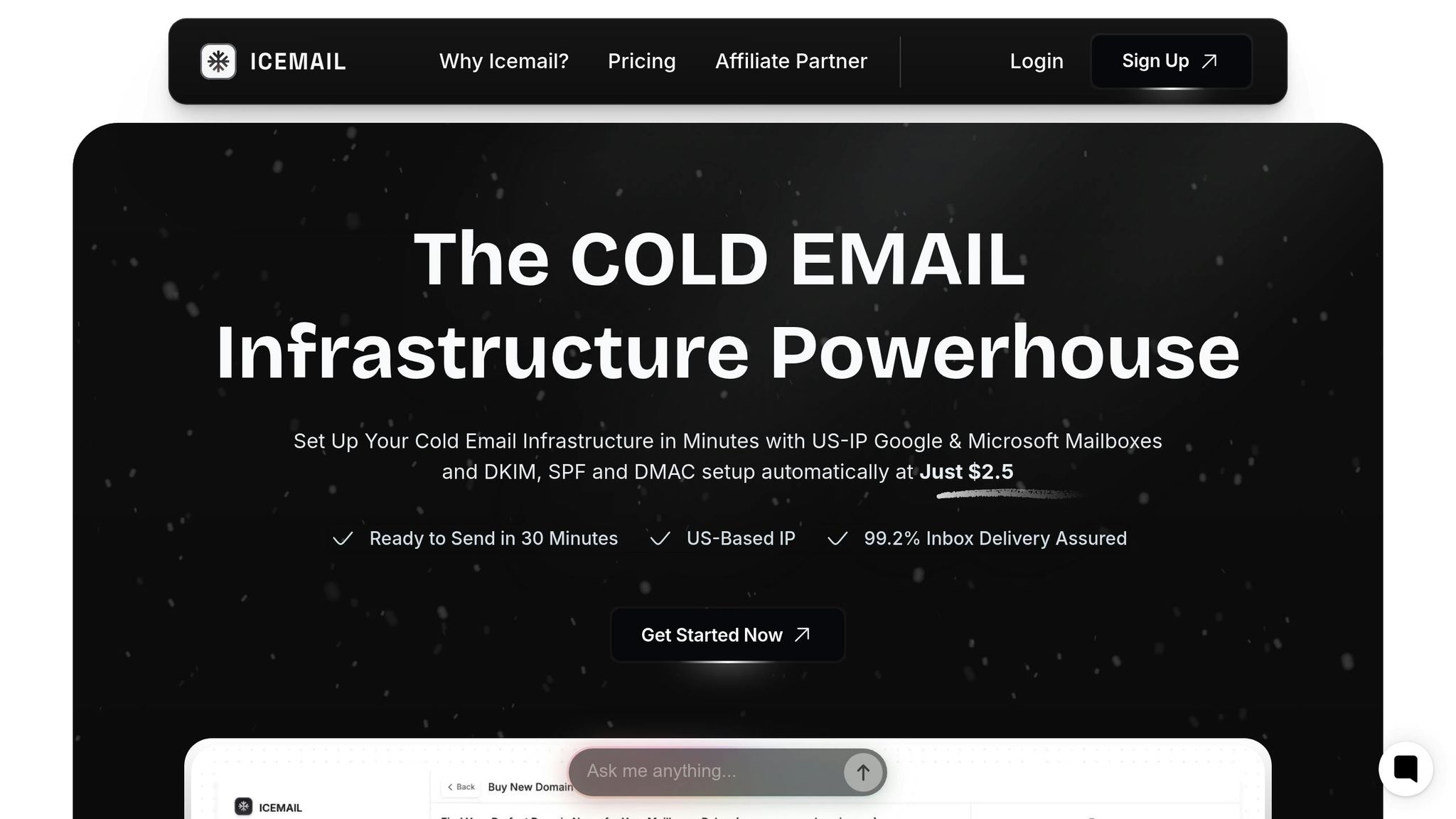
After organizing your segments, the next challenge is sending large volumes of emails efficiently. That’s where Icemail.ai comes in. This platform simplifies the technical setup with a quick 10-minute onboarding process. You can purchase Google Workspace or Microsoft mailboxes for just $2 each, and Icemail.ai will handle all the tricky DNS configurations - like SPF, DKIM, and DMARC records - automatically. This ensures your emails land in inboxes instead of spam folders.
Icemail.ai is designed to work seamlessly with your segmentation strategy. It supports bulk mailbox purchases and one-click import/export, so as your campaigns grow, your infrastructure can scale effortlessly. For teams running multiple segments, you can assign specific mailboxes to different groups - like healthcare leads on one domain and tech leads on another. This approach helps maintain your sending reputation and prevents issues like cross-contamination if one segment underperforms.
While other platforms offer similar automation features, Icemail.ai stands out for its speed, ease of setup, and excellent feedback from users. Competitors like Salesforge ($48/month) and Smartlead ($39–$94/month) focus more on AI-driven personalization and email validation but don’t match Icemail.ai’s robust infrastructure automation.
| Feature | Icemail.ai | Traditional Manual Setup |
|---|---|---|
| Onboarding Time | ~10 Minutes | Several Hours/Days |
| DNS Configuration | Automated (SPF/DKIM/DMARC) | Manual Entry |
| Mailbox Setup | Bulk Purchasing & One-Click Import | Individual Manual Creation |
| Sending Limits | AI-Powered Multi-Account Rotation | Manual Tracking per Account |
Step 5: Personalize Emails and Test Segments
Now that your segmented lists are ready, it’s time to craft messages that truly connect with each group. Why does this matter? Because personalized cold emails can boost response rates by up to 32%, and segmented campaigns enjoy 14.31% higher open rates compared to non-segmented ones.
Personalization Techniques
Start by tailoring your value proposition to address the unique challenges of each industry. For example, compliance is a major concern in healthcare, fraud prevention is key in finance, and IT managers prioritize technical reliability. Highlight features that solve these specific pain points.
Role-based personalization is equally important. CEOs care about ROI and long-term strategy, so keep your message concise and focus on the big picture. IT managers, on the other hand, want to see technical details and reliability assurances. A financial executive might prefer formal, data-driven communication, while someone in a creative field may respond better to a casual, visually appealing style.
Your call-to-action (CTA) should align with the recipient's stage in the buying journey. Early-stage leads may appreciate educational content like whitepapers, while high-intent prospects are more likely to act on direct scheduling links. Behavioral triggers can guide your follow-ups - if someone downloads a resource, follow up with content that dives deeper into that topic.
Don’t overlook timing and cultural nuances. Make sure your emails arrive at reasonable hours - no one wants to get an email at 6:00 AM on the West Coast. Use local formatting, such as MM/DD/YYYY for U.S. audiences, and respect regional business etiquette.
A/B Testing and Refinement
To fine-tune your messaging, use A/B testing. This approach replaces guesswork with data, helping you understand what truly resonates. Focus on one variable at a time - such as the subject line, CTA, or send time - to pinpoint what drives results. Testing too many elements at once makes it hard to identify what actually worked. For reliable insights, aim for at least 1,000 recipients per variation and run tests over 48 to 72 hours.
| Test Variable | Version A | Version B | Metric to Track |
|---|---|---|---|
| Subject Line | Benefit-focused | Curiosity-driven | Open Rate |
| Email Body | Short (<100 words) | Detailed explanation | Reply Rate |
| CTA | Direct meeting request | Interest-based question | Conversion Rate |
Track metrics that align with your goal. For subject line tests, focus on open rates. If you’re tweaking the email body, keep an eye on reply rates. To ensure your results are statistically valid, aim for a 95% confidence level. Companies that consistently A/B test their emails report a 37% increase in ROI.
Once you’ve identified what works, refine your segments further. For instance, create a "warmer" segment for prospects who clicked a link but didn’t reply, and target them with a specific follow-up. Include social proof tailored to each group, such as case studies from companies of similar size or testimonials from their industry. Keep testing, refining, and documenting your results to build a playbook of strategies that work for your audience. This ongoing process ties back to the foundational steps of segmentation and infrastructure setup.
Step 6: Maintain List Hygiene and Deliverability
Even the best-segmented lists won't perform well if they're cluttered with outdated or invalid email addresses. Email data naturally deteriorates at a rate of about 2% per month as people switch jobs and domains expire. This can lead to bounces and spam traps, which can seriously hinder your campaigns.
Email Verification Tools
To keep your email data accurate, it's essential to verify addresses before launching campaigns. This step not only ensures reliable data but also protects your domain reputation. Tools like ZeroBounce ($15/month for 2,000 emails) and NeverBounce ($10/month for 1,000 emails) can identify invalid emails with nearly 99% accuracy. For more budget-friendly options, consider EmailListVerify ($4/1,000 emails) or Bouncer ($8/1,000 verifications).
Be especially cautious with catch-all domains (also known as "accept-all" domains), as they are 27 times more likely to result in bounces compared to standard addresses. Some modern tools, like Bouncer, even offer toxicity checks to identify hacked emails and spam traps. If you're looking for ongoing protection, Mailfloss provides automated daily list cleanups, starting at $25/month for 10,000 credits.
Schedule Regular List Updates
One-time verification is just the beginning. To keep your email lists performing well, regular updates are a must. Reverify your contact lists every 1–2 months to account for job changes and expired domains . For your entire database, aim for comprehensive updates at least once every quarter or every six months .
Also, consider removing contacts who haven't opened or engaged with your emails within 60–90 days. This strategy helps maintain engagement and safeguards your sender reputation. Keeping your bounce rate below 1% and spam complaints under 0.1% (approximately 1 in 1,000 emails) is critical for maintaining strong deliverability. If your bounce rate exceeds 3%, it's a clear signal that your list needs immediate cleaning.
Finally, use Google Postmaster Tools to monitor your domain reputation, especially for Gmail recipients. Ensure that your SPF, DKIM, and DMARC records are properly configured. These technical settings confirm to mail servers that you're a legitimate sender, helping you avoid deliverability issues.
Conclusion
Segmenting your email list is a powerful way to boost revenue. By starting with a clear Ideal Customer Profile (ICP) and well-thought-out segmentation strategies, you can create 3–5 core segments that align with specific value propositions. Gather high-quality data using sign-up forms, web analytics, and enrichment tools, then apply segmentation based on behavior, intent, and where leads are in the sales funnel. This focused approach works seamlessly with automation and proper list maintenance to amplify your campaign’s effectiveness.
Automation tools, like CRMs and specialized platforms, let your segments adapt dynamically as leads engage with your campaigns. Personalization further strengthens engagement, and regular A/B testing ensures your messaging continues to improve. Once your strategy is in place, having dependable email infrastructure becomes the next critical step. That’s where Icemail.ai comes in - offering features like dedicated IPs, automated DNS setup, and pre-warmed domains to bypass lengthy warm-up periods. Their fast setup helps you scale your outreach immediately.
"Segmentation is not a one-time setup; it is a dynamic process that evolves with your audience and marketplace." - Growbots
In addition to leveraging segmentation and automation, maintaining list hygiene through regular verification and updates protects your sender reputation. Just as automation simplifies campaign management, keeping your lists clean ensures consistent deliverability. With 78% of email marketers identifying segmentation as one of their most effective strategies, segmented campaigns achieve 14.31% higher open rates and 100.95% higher click-through rates. Combine smart segmentation with Icemail.ai’s premium infrastructure - starting at just $2 per mailbox - to scale your efforts while maintaining top-tier deliverability.
FAQs
What are the benefits of segmenting email lists for cold outreach?
Segmenting your email lists for cold outreach can make a huge difference in your results. It’s been shown to increase open rates by 14–30% and boost click-through rates by 50–100%, ensuring your message reaches more of the right people. On top of that, segmentation helps improve email deliverability, cuts down on spam complaints, and encourages stronger engagement and response rates. All of these factors combined can contribute to a sales lift of up to 80%.
If you’re aiming to simplify and optimize your cold outreach process, Icemail.ai is worth considering. This platform provides a fast and dependable email infrastructure, offering Google and Microsoft mailbox setups for just $2 per mailbox. Plus, with automated features like SPF, DKIM, and DMARC setup, it ensures better inbox placement and gets your campaigns up and running faster than many alternatives.
What’s the best way to collect and organize lead data for email segmentation?
To gather and organize lead data effectively for email segmentation, begin by defining your Ideal Customer Profile (ICP). This should include details like industry, company size, technology used, and behaviors that align with your campaign's objectives. Tools such as LinkedIn Sales Navigator, company websites, or industry directories can help you identify leads that fit your ICP. Export this data in a consistent format, like a CSV file, to keep things organized.
Once you’ve compiled your leads, take the time to validate and clean the data. Remove duplicates, fix any formatting issues, and verify email deliverability. To enhance your dataset, consider adding extra information like revenue or recent funding details using platforms like Clearbit or Apollo. Afterward, segment your leads based on the criteria you’ve established and store them in a CRM or email platform for streamlined access.
For efficient email outreach, check out Icemail.ai, a premium tool designed to simplify mailbox setup with Google Workspace or Microsoft 365. It automates critical configurations like DKIM, SPF, and DMARC, helping to improve deliverability and get your inbox up and running faster than many competitors. Make sure to regularly update and clean your email lists to keep engagement and response rates high.
What are the best tools to automate email list segmentation and improve deliverability?
Many tools today blend email list segmentation with features aimed at improving deliverability. Platforms like Gmass, Apollo, Lemlist, and Smartlead let you create dynamic segments based on criteria such as job title, industry, or engagement history. These tools also manage key deliverability essentials, including DKIM, SPF, and DMARC configuration, as well as inbox warm-up and monitoring. Similarly, Mailshake and Reply.io provide comparable functionality, making segmentation more efficient while enhancing inbox placement.
For those seeking a premium and quicker option, Icemail.ai is worth considering. It offers Google Workspace or Microsoft 365 mailboxes for just $2 each and automatically configures DKIM, DMARC, and SPF. With AI-powered warm-up and instant contact import/export, it simplifies the segmentation process and ensures excellent inbox placement. Users often praise its fast setup and reliability, making it a go-to choice for cold outreach campaigns in the U.S.