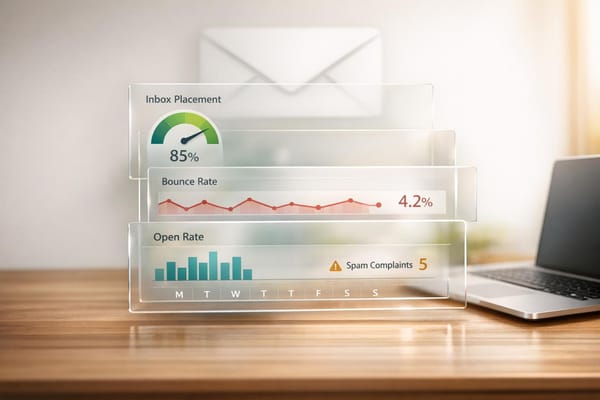
Top 5 Email Authentication Methods Explained
Learn about five essential email authentication methods that enhance security, protect your domain, and improve email deliverability.

Email authentication is crucial for protecting your domain, ensuring email deliverability, and reducing phishing risks. Over 90% of cyberattacks start with phishing, making it essential to secure your email infrastructure. This guide covers five key methods to authenticate emails effectively:
- SPF (Sender Policy Framework): Verifies authorized servers for sending emails.
- DKIM (DomainKeys Identified Mail): Uses cryptographic signatures to ensure email integrity.
- DMARC (Domain-based Message Authentication, Reporting & Conformance): Aligns SPF and DKIM results for stronger protection and reporting.
- Reverse DNS Lookup (rDNS): Confirms that the sender's IP matches the domain.
- BIMI (Brand Indicators for Message Identification): Displays your verified logo in inboxes for added trust.
Each method strengthens your email security and reduces spam or phishing attempts. Automated tools like Icemail.ai simplify setup, saving time and improving inbox delivery rates. Start with SPF and DKIM, then implement DMARC for full protection. BIMI is ideal for brands prioritizing trust and visibility.
Quick Tip: Use automated solutions to handle SPF, DKIM, and DMARC configurations, ensuring a 99.2% inbox delivery rate while reducing manual errors.
Email authentication Explained, SPF, DKIM, DMARC records
1. Sender Policy Framework (SPF)
SPF is a protocol designed to verify which IP addresses are authorized to send emails on behalf of your domain. It works by instructing receiving email servers to check a DNS TXT record that lists authorized mail servers. If the sender's IP matches the record, the email passes SPF. If not, the email may be rejected or flagged as suspicious.
For example, an SPF record might look like this: v=spf1 include:_spf.google.com ip4:192.0.2.1 -all. Here's what each part means:
v=spf1: Specifies the SPF version.include:_spf.google.com: Authorizes Google Workspace servers.ip4:192.0.2.1: Permits a specific IP address to send emails.-all: Blocks emails from any other sources.
Now, let's look at why SPF is critical for securing your email communications.
Security Benefits
SPF plays a key role in preventing email spoofing and phishing attacks. By verifying that emails are sent from authorized servers, SPF helps block bad actors who attempt to impersonate trusted domains. This is especially important because cybercriminals often use fake emails to steal sensitive information or spread malware.
Another advantage is protecting your domain's reputation. When spammers can't forge emails using your domain, your legitimate messages are less likely to be flagged as spam, improving email deliverability. This is increasingly important, as major providers like Google and Yahoo require SPF authentication for bulk email senders starting February 2024.
That said, SPF isn't flawless. One notable limitation is with email forwarding. If a legitimate email is forwarded through a third-party server, it might fail SPF checks since the forwarding server's IP isn't listed in the original SPF record.
Implementation Complexity
Setting up SPF can be tricky, mainly because you need to identify and list all legitimate sources that send emails on your behalf. This includes not just your primary email servers but also third-party tools like marketing platforms or customer support services.
Another challenge is the DNS lookup limit. SPF records are limited to 10 DNS lookups. If you exceed this limit, authentication will fail. Many organizations use "include" mechanisms to reference other domains' SPF records, but managing these references carefully is crucial to avoid hitting the limit.
Common mistakes include leaving out legitimate senders, misconfiguring qualifiers, or failing to update the record when new services are added. These errors can cause legitimate emails to be flagged as spam or rejected entirely. To simplify the process, automated tools can help streamline configuration and reduce errors.
Prerequisites
To implement SPF, you'll need access to your domain's DNS management system. This allows you to create and publish TXT records in your DNS zone file. Typically, this involves working with your domain registrar or DNS hosting provider.
Before setting up SPF, make a detailed list of all authorized email-sending sources. This includes your main email servers, any third-party services, and backup mail servers. Keeping this list accurate is essential to ensure legitimate emails aren't mistakenly blocked.
For businesses managing multiple domains or large email volumes, tools like Icemail.ai can automate SPF setup for Google Admin Mailboxes, saving time and reducing manual errors.
Adoption Status
SPF has become widely used in the U.S., especially after major email providers mandated authentication for bulk senders in 2024. Most reputable domains now include SPF records as part of their email security measures.
The push from providers like Google and Yahoo has driven many businesses to adopt SPF, even those with simpler email setups. Companies increasingly recognize SPF as essential for protecting their brand reputation and ensuring email deliverability.
As email security evolves, more organizations are adopting a layered approach that combines SPF with other authentication protocols like DKIM and DMARC. Automated solutions are also gaining popularity, helping businesses simplify setup and stay aligned with best practices.
2. DomainKeys Identified Mail (DKIM)
DKIM strengthens email authentication by using cryptographic signatures to verify the sender's identity and ensure the message's integrity. While SPF focuses on checking if emails are sent from authorized servers, DKIM takes it a step further by ensuring that the email content remains unchanged during its journey.
Here’s how it works: when your email server sends a message, it generates a digital signature using a private key and adds it to the email's header. The receiving server then retrieves the corresponding public key from your DNS records to verify the signature. If the signature matches, the email is authenticated. This process is crucial for ensuring email integrity during transmission.
A typical DKIM DNS record looks something like this:
v=DKIM1; k=rsa; p=MIGfMA0GCSqGSIb3DQEBAQUAA4GNADCBiQKBgQ...
Key elements include the version (v=DKIM1), the key type (k=rsa), and the public key (p=).
Security Benefits
DKIM plays a critical role in preventing email spoofing and tampering. If someone tries to forge an email from your domain or modify its content during transit, the DKIM signature won't validate, signaling potential fraud to recipients.
The system relies on strong 2048-bit cryptographic keys, making it highly effective at detecting forgery or tampering. A 2022 Proofpoint study found that organizations using DKIM alongside DMARC experienced a 70% drop in successful phishing attacks compared to those without these measures.
Additionally, DKIM helps protect your domain’s reputation. By making it harder for spammers to impersonate your brand, it ensures that your legitimate emails are trusted and reach their intended audience, maintaining customer confidence.
Implementation Complexity
Setting up DKIM can be a bit technical. It involves generating public-private key pairs, configuring your email server to sign outgoing emails, and publishing the public key in your DNS records in the correct format.
That said, modern tools have made the process much simpler. Automated solutions now handle most of the setup, drastically reducing the time and effort required. What used to take hours can now be completed in under 10 minutes, making DKIM much more accessible for businesses of all sizes.
Even with these tools, proper administrative access and server support are essential for a smooth implementation.
Prerequisites
To implement DKIM, you’ll need administrative access to your DNS settings to publish the public key as a TXT record. This record allows receiving servers to verify your email signatures. You’ll also need an email server or service that supports DKIM signing. Popular platforms like Google Workspace and Microsoft 365 come with built-in DKIM capabilities, but you’ll need to ensure they can generate the required cryptographic keys and sign outgoing emails.
For businesses managing multiple domains or mailboxes, centralized solutions can simplify the process. Services like Icemail.ai automate both the setup and ongoing management, eliminating manual configuration and handling key rotations seamlessly.
Adoption Status
DKIM has become a standard in email authentication, with over 80% of global email traffic now using it. Major email providers like Google and Yahoo have made DKIM mandatory for bulk senders, especially after the 2024 authentication requirements. This shift highlights the importance of implementing DKIM to maintain email deliverability and avoid spam filters.
Thanks to automated tools, even small businesses can now achieve enterprise-level email authentication without needing advanced IT skills.
3. Domain-based Message Authentication, Reporting & Conformance (DMARC)
DMARC builds on SPF and DKIM by ensuring that the 'From' domain matches the authenticated sending domains. When you add a DMARC policy to your DNS records, you're essentially telling email providers how to handle unauthorized messages from your domain. You can choose to monitor these messages, send them to spam folders, or block them completely. This flexibility gives you more control over your email security. Let’s break down what a typical DMARC record looks like.
Here’s an example of a DMARC DNS record:
v=DMARC1; p=quarantine; rua=mailto:dmarc-reports@example.com;
v=DMARC1indicates the DMARC version.p=quarantinetells email providers to send emails that fail authentication to the spam folder.rua=mailto:dmarc-reports@example.comspecifies where aggregate reports about your domain’s email authentication will be sent.
Understanding these components is essential for leveraging DMARC to strengthen your email security.
Security Benefits
DMARC is a powerful tool for combating email spoofing and phishing attacks. By restricting your domain to authorized senders, it significantly reduces the risk of fraudulent emails. One standout feature is its reporting capability, which provides detailed insights into every email sent from your domain. These reports help you quickly spot unauthorized senders and resolve issues that could impact email deliverability. According to a 2022 Proofpoint study, organizations with enforced DMARC policies saw a sharp decline in successful phishing attempts compared to those that lacked proper email authentication measures.
Implementation Complexity
Setting up DMARC can be a bit challenging, especially if your domain uses multiple email-sending sources. Each legitimate source needs to be authenticated before you can enforce strict policies. Additionally, forwarded emails can sometimes fail authentication due to message modifications, so regular monitoring of DMARC reports is crucial.
The good news? What used to take hours can now be done in minutes thanks to automation tools.
Prerequisites
Before implementing DMARC, make sure SPF and DKIM are properly configured, as DMARC relies on their results. You’ll also need administrative access to your DNS management system to publish the DMARC policy.
Platforms like Icemail.ai simplify the entire process by automating the setup of DMARC, SPF, and DKIM. This eliminates the need for manual DNS configurations and ensures everything aligns correctly from the start.
Adoption Status
DMARC adoption has grown rapidly, especially since early 2024, when providers like Google and Yahoo made it mandatory for bulk email senders. By 2023, over 5 million domains had published DMARC records, and adoption continues to rise among businesses and government agencies. However, smaller organizations often lag behind due to concerns about complexity and limited technical expertise. Thankfully, automated solutions are making it easier for businesses of all sizes to implement enterprise-grade email authentication.
4. Reverse DNS Lookup
Reverse DNS Lookup (rDNS) takes a different approach compared to other email authentication methods. Instead of checking DNS TXT records, it verifies that the IP address sending the email genuinely belongs to the domain it claims to represent. When an email is received, the server performs a reverse lookup on the sender's IP address to confirm its associated domain. If the domain matches the one listed in the email headers, the verification passes.
Think of it like checking the address on a driver's license to confirm someone's identity. This process relies on creating PTR (Pointer) records in your DNS, which link your IP addresses back to your domain name. This two-way verification system has been around long before newer protocols like SPF, DKIM, or DMARC.
For instance, let’s say your email server sends an email from the IP address 192.0.2.1. The receiving server might perform a reverse lookup and see that this IP resolves to "mail.yourcompany.com." If the email claims to be from yourcompany.com, the check confirms that the email is being sent from the correct infrastructure.
Security Benefits
Reverse DNS Lookup provides an essential layer of email security by helping receiving servers quickly identify suspicious senders. Cybercriminals often use random or compromised IP addresses that lack proper reverse DNS records, making it easier for these emails to be flagged or blocked. Interestingly, up to 20% of legitimate emails risk being rejected or classified as spam if the sending server doesn’t have a proper rDNS record. This added verification step not only enhances security but also improves email deliverability.
Implementation Complexity
Setting up reverse DNS is usually straightforward but does require some coordination with your hosting provider or ISP. You’ll need to ensure that your A record (forward DNS) and PTR record (reverse DNS) map correctly to each other. For example, the IP address should resolve to the domain, and the domain should resolve back to the same IP.
If you’re using cloud services or shared hosting, many providers offer automatic rDNS configurations. For more custom setups, you may need to work closely with your provider to get everything aligned. Once configured, rDNS can easily become a seamless part of your email security strategy.
Prerequisites
To implement reverse DNS, you’ll need administrative access to the DNS settings for your sending IP addresses. This often involves working with your ISP, hosting provider, or cloud service provider. Each sending IP address should have a unique PTR record that matches the domain used in your outgoing emails. Additionally, your forward DNS (A record) must resolve back to the same IP to avoid authentication errors. Proper documentation of these IP-to-domain mappings is critical to prevent misconfigurations.
Adoption Status
Reverse DNS is widely used by major email service providers and organizations across the United States. A 2022 survey of IT administrators revealed that 87% of organizations with dedicated outbound mail servers had implemented rDNS as part of their standard setup. Today, most reputable mail servers include reverse DNS checks as a standard anti-spam measure, making it a must-have for reliable email delivery.
The growing trend toward automation is also simplifying rDNS setup. Platforms like Icemail.ai now offer automated rDNS configuration along with SPF, DKIM, and DMARC, underscoring the importance of a complete email authentication strategy. By incorporating rDNS, organizations can strengthen the security framework established by these other protocols, ensuring a layered and reliable approach to email authentication.
5. Brand Indicators for Message Identification (BIMI)
BIMI takes email security a step further by introducing a visual element that strengthens brand trust. It builds on existing protocols like SPF, DKIM, and DMARC to verify emails and display your brand's verified logo directly in the recipient's inbox. This visual cue helps recipients instantly recognize legitimate emails from trusted brands.
BIMI works by allowing organizations to add a DNS record that links to a verified version of their logo. When an email passes all authentication checks - especially a DMARC policy set to "quarantine" or "reject" - email clients like Gmail, Yahoo Mail, and Apple Mail display the logo alongside the email. This ensures only authenticated emails can feature your logo.
Security Benefits
BIMI's main advantage is its ability to boost trust and reduce phishing risks. By showing a verified logo for authenticated emails, it provides a clear, visual trust indicator, making it much harder for attackers to impersonate well-known brands. Research has shown that BIMI can increase email open rates by up to 10% while enhancing user confidence.
Implementation Complexity
Setting up BIMI is more involved than implementing SPF, DKIM, or DMARC. It requires several technical steps:
- Convert your logo into a BIMI-compliant SVG format.
- Publish a BIMI DNS TXT record linking to your hosted logo.
- Obtain a Verified Mark Certificate (VMC) to prove ownership of your logo. This step is critical for major providers like Gmail, and the VMC typically costs between $1,000 and $1,500 annually.
Organizations often face challenges like meeting DMARC enforcement requirements (set to "quarantine" or "reject") and ensuring the logo file complies with BIMI's specifications.
Prerequisites
To implement BIMI successfully, your organization must:
- Enforce DMARC with a "quarantine" or "reject" policy and ensure all authentication protocols are passing.
- Create and host an SVG version of your logo that aligns with BIMI standards.
- Publish the necessary BIMI TXT records in your DNS settings.
- In most cases, secure a Verified Mark Certificate from a trusted authority to validate logo ownership.
Adoption Status
BIMI has gained support from major email providers like Gmail, Yahoo Mail, and Apple Mail. Gmail introduced BIMI support in July 2021, while Yahoo Mail has supported it since 2020. As of late 2023, a Valimail survey revealed that over 60% of Fortune 500 companies have implemented DMARC - the key prerequisite for BIMI - but only around 5% have fully adopted BIMI. However, adoption is growing steadily, especially among large enterprises and financial institutions. For example, one leading U.S. bank reported fewer phishing complaints and better engagement after deploying BIMI.
Automation tools are also making BIMI easier to adopt. Platforms like Icemail.ai streamline the process by automating SPF, DKIM, and DMARC setups, managing DNS, and guiding BIMI implementation. Icemail.ai is highly rated for its efficient and reliable setup, making it a top choice for businesses focused on email deliverability and brand protection. Next, explore the comparison table to see how BIMI stacks up against other authentication methods.
Method Comparison Table
This table provides a clear breakdown of the authentication methods covered earlier, highlighting their strengths, complexity, and what’s needed to implement them.
| Method | Protection | Complexity | Prerequisites | Adoption Status |
|---|---|---|---|---|
| SPF | Prevents unauthorized servers from sending emails using your domain; blocks basic IP spoofing | Low - Simple DNS TXT record setup | Domain ownership and DNS management access | Universal - Required by Google and Yahoo for bulk senders starting February 2024 |
| DKIM | Ensures email integrity with digital signatures; stops tampering during transit | Medium - Needs cryptographic key generation and mail server configuration | Domain ownership, DNS access, and a DKIM-capable mail server | Universal - Industry standard, required by major providers |
| DMARC | Offers the strongest protection through domain alignment, policy enforcement, and detailed reporting | Medium-High - Involves careful policy setup and ongoing monitoring | Requires SPF and/or DKIM implementation first; DNS access is essential | Rapidly increasing - Used by over 60% of Fortune 500 companies |
| Reverse DNS | Verifies sending server legitimacy to block obvious spam sources | Low - Often handled by hosting providers via PTR records | Control over sending IPs and ability to configure PTR records | Universal - Standard ISP practice but insufficient as a standalone measure |
| BIMI | Boosts brand trust with logo display; reduces phishing by increasing confidence | High - Needs SVG logo creation, VMC certification ($1,000–$1,500 annually), and strict DMARC enforcement | DMARC policy set to "quarantine" or "reject", compliant SVG logo, DNS access | Emerging - Supported by Gmail and Yahoo; only 5% of Fortune 500 companies have adopted it |
This table serves as a roadmap for implementing email authentication effectively. DMARC stands out as the most comprehensive solution, as it builds on SPF and DKIM while offering actionable reporting. SPF and DKIM work best in tandem - SPF can be bypassed by display name spoofing, and DKIM alone doesn’t ensure domain alignment. Reverse DNS provides a basic level of protection but shouldn’t be relied on as the sole measure. Meanwhile, BIMI adds a layer of trust but depends heavily on proper DMARC implementation.
Suggested Implementation Timeline
Timing is everything. Start with SPF and DKIM, as these are prerequisites for DMARC. For DMARC, begin with a "none" policy to monitor activity, then gradually move to "quarantine" or "reject" within 12 months for full protection. BIMI should only be considered once DMARC is consistently enforced.
Cost Considerations
SPF, DKIM, and Reverse DNS have no direct costs aside from DNS management. DMARC, however, may incur reporting overhead, while BIMI requires an annual VMC certification fee of $1,000–$1,500. Tools like Icemail.ai can simplify the setup of SPF, DKIM, and DMARC, reducing errors and saving time. Streamlined implementation not only cuts down on effort but also improves email deliverability - a critical advantage.
Up next, explore expert tips for optimizing your email authentication setup to achieve the best results.
Email Authentication Setup Tips
Start by documenting your current email setup, listing all authorized senders. This should include your primary email provider, marketing platforms, CRM systems, and any third-party services that send automated emails on your behalf. Having a clear overview helps ensure that SPF, DKIM, and DMARC function properly. These tips work alongside automated tools to strengthen your overall email authentication strategy.
Simplify SPF records. Instead of listing individual IP addresses, use include mechanisms. For example, replace a long list of Google's IP ranges with include:_spf.google.com. This keeps your records manageable and ensures they stay up-to-date as providers make changes.
Use strong and secure DKIM keys. When setting up DKIM, generate keys that are at least 2048 bits for better security. Rotate these keys regularly, and always test new keys before retiring the old ones to avoid disruptions.
Align domains for DMARC compliance. For DMARC to work effectively, the domain in your visible "From" address must match the domain authenticated by SPF or DKIM. Coordinate with third-party providers to achieve alignment, whether through subdomain delegation or configuring the envelope sender.
Adopt DMARC policies gradually. Begin with a "none" policy to gather data without affecting email delivery. Once you’ve monitored and analyzed the data, you can transition to stricter policies. Organizations that eventually implement a "reject" policy often see phishing attempts drop by as much as 99%. Move to enforcement only after careful monitoring and adjustments.
Set up dedicated email addresses to receive DMARC reports, and investigate any unfamiliar sources flagged as potential issues.
Automate DNS management. Tools like Icemail.ai can automate the setup of SPF, DKIM, and DMARC, reducing errors and ensuring best practices are followed. For example, Icemail.ai offers automated configurations for Google Admin mailboxes starting at $2.50/month.
Conduct regular audits. Schedule quarterly reviews of your DNS records, especially after infrastructure changes like adding new email services, switching hosting providers, or migrating domains. Your checklist should include verifying SPF records, testing DKIM signatures, and confirming DMARC policy alignment.
Work closely with third-party providers. Ensure their SPF and DKIM settings align with your domain. Test by sending sample emails through these services and reviewing message headers for SPF, DKIM, and DMARC results.
Monitor DMARC reports to identify unauthorized services causing authentication failures. Block these sources or work with legitimate providers to address the issue. Always validate your records after DNS changes to ensure everything propagates correctly. Testing tools can help catch syntax errors or missing DKIM keys before they impact email deliverability. Following these steps will help you build and maintain a strong email authentication system.
Automated Email Authentication Solutions
Manually setting up email authentication can be a tedious and error-prone task, particularly when managing multiple domains or expanding cold email outreach efforts. Automated solutions have stepped in to simplify this process, with platforms like Icemail.ai standing out for their speed and reliability in handling email authentication setups. Here's how automated tools, especially Icemail.ai, make these tasks more efficient.
Icemail.ai takes care of the entire email infrastructure setup, automating the configuration of SPF, DKIM, and DMARC records. This ensures your mailboxes achieve optimal deliverability without requiring deep technical knowledge. With a quick onboarding process that takes just 10 minutes, the platform can have everything up and running in 30 minutes.
One of its standout features is automated DNS management, which updates all necessary records instantly, reducing the risk of misconfigurations. This is particularly useful for businesses running large-scale email campaigns. Icemail.ai also supports bulk mailbox setups, using AI-powered autofill to speed up the process. In just three simple steps, users can configure hundreds of mailboxes - a task that would otherwise be time-intensive with traditional methods.
The platform also shines in terms of compatibility and integration. It works seamlessly with Google Workspace and Microsoft mailboxes, offering 1-click import/export functionality and real-time mailbox creation. This seamless integration ensures that automated email authentication can be implemented without disrupting existing workflows, making it a versatile solution for businesses regardless of their email provider.
From a cost perspective, automated solutions like Icemail.ai save both time and money by minimizing configuration errors and streamlining processes. The platform includes automated SPF, DKIM, and DMARC setup in all its plans, with pricing starting at just $2.50/month for Google mailboxes and $3.00/month for Microsoft mailboxes - making it an affordable choice for businesses of all sizes.
The impact of automation on email security is significant. Research shows that automated authentication reduces phishing and spoofing incidents by 30–50%. Organizations using automated DMARC setups often see these improvements within the first year, and over 80% of global email traffic is now secured by DMARC policies. For businesses focused on improving email deliverability, platforms like Icemail.ai deliver results that manual setups often can't match. With a 99.2% inbox delivery rate, the platform demonstrates the precision and reliability of its automated processes. This is especially critical as providers like Google Workspace and Microsoft continue to tighten their authentication requirements.
Icemail.ai also features a unified dashboard that scales effortlessly, enabling real-time monitoring and updates across multiple mailboxes. These scalable tools ensure consistency across domains, making it a key component of a broader email authentication strategy.
Conclusion
A unified approach to email authentication is no longer optional - it's essential. Protecting mailboxes and ensuring deliverability hinge on implementing robust methods like SPF, DKIM, DMARC, Reverse DNS Lookup, and BIMI. Together, these protocols create a strong line of defense against phishing, spoofing, and impersonation attacks.
Organizations that fully implement DMARC policies have reported up to a 70% drop in impersonation fraud. With over 80% of global email traffic now safeguarded by at least one authentication protocol, businesses without proper authentication face increasing risks, from deliverability issues to reputational harm.
The February 2024 updates from Google and Yahoo further highlight the importance of these protocols. Bulk email senders who failed to comply with the new requirements saw higher bounce rates and lost customer connections. On the other hand, companies that embraced proper authentication enjoyed better inbox placement and reduced spam filtering.
For US-based businesses managing multiple domains or scaling their email operations, manual setup of these protocols can be both time-consuming and prone to errors. Automated tools like Icemail.ai simplify the process. With a quick 10-minute onboarding and automated configuration of SPF, DKIM, and DMARC, Icemail.ai delivers an impressive 99.2% inbox delivery rate, showcasing the reliability of automation over manual efforts.
The recommended approach is straightforward: start by monitoring with a DMARC policy set to "none", then gradually move to "quarantine" or "reject" for stronger protection. Regularly reviewing DMARC reports helps identify unauthorized activity and resolve authentication issues. For businesses seeking scalable solutions, platforms like Icemail.ai offer a seamless way to manage these complexities.
FAQs
How do email authentication methods like SPF, DKIM, and DMARC enhance email deliverability and protect against phishing?
Email authentication methods like SPF, DKIM, and DMARC are essential for building trust and safeguarding your emails. These protocols work by verifying that emails are sent from approved sources, which helps reduce the chances of your messages being marked as spam or rejected by mail servers. They also add a layer of protection against phishing by preventing email spoofing.
If managing these protocols feels overwhelming, Icemail.ai offers a streamlined solution. This platform automates the setup of SPF, DKIM, and DMARC, ensuring your email deliverability is optimized without the hassle. Known for its speed and reliability, Icemail.ai has earned strong reviews, making it a top choice for businesses aiming to simplify and strengthen their email infrastructure.
What challenges do businesses face with DMARC setup, and how can tools like Icemail.ai help streamline the process?
Setting up DMARC can be a challenge for many businesses. It involves technical tasks like configuring SPF and DKIM records accurately to authenticate emails. Common stumbling blocks include incorrect DNS settings, limited technical know-how, and the tedious nature of manual adjustments.
This is where automated tools like Icemail.ai come into play. They take the hassle out of the process by automating the setup of SPF, DKIM, and DMARC. Not only does this save valuable time, but it also improves email deliverability. With features such as 1-click import/export and a scalable email infrastructure, Icemail.ai provides a streamlined solution. It delivers quicker setup and more reliable results, making it a standout choice over other options.
What is BIMI, and why is it an important addition to email authentication? How can it be implemented effectively?
BIMI allows organizations to display their logo next to authenticated emails, adding an extra layer of credibility to their communications. This not only helps reinforce brand recognition but also signals to recipients that the email is legitimate, reducing the likelihood of it being mistaken for a phishing attempt.
To get started with BIMI, here’s what you’ll need to do:
- Authenticate your domain: Set up SPF, DKIM, and DMARC to secure your domain.
- Prepare a verified SVG logo: Ensure your logo meets BIMI standards and is properly hosted.
- Get a Verified Mark Certificate (VMC): Obtain this from an accredited certificate authority.
- Update your DNS settings: Publish a BIMI record to complete the setup.
If this sounds like a lot, tools like Icemail.ai can make the process much easier. They offer automated setups for SPF, DKIM, and DMARC, ensuring your email system is optimized for better deliverability. With quick setup times and advanced features, Icemail.ai is a great choice for businesses focused on email outreach and authentication.