
10 Chrome Extensions for Prospect List Building
Compare 10 Chrome extensions to extract, verify, and sync B2B leads from LinkedIn and websites — features, bulk options, CRM support, and pricing.


Building prospect lists doesn't have to be time-consuming. Chrome extensions can help you extract, verify, and organize lead data directly in your browser, saving time and improving accuracy. Here’s a quick look at 10 powerful tools for prospecting:
- Crono: Extracts LinkedIn data, enriches leads with verified emails and phone numbers, and integrates with CRMs like Salesforce. Starts at $74/month.
- Apollo: Access a database of 275M+ contacts, bulk process LinkedIn leads, and sync with CRMs. Starts at $49/month.
- Lusha: Provides verified emails and phone numbers with 90% accuracy. Bulk reveal up to 25 profiles. Starts at $29/month.
- Evaboot: Exports LinkedIn Sales Navigator data with cleaning features. Starts at $9/month.
- Saleshandy Connect: Reveals verified emails directly from LinkedIn profiles. Starts at $34/month.
- ContactOut: Focuses on personal and work emails, offering bulk extraction and CRM integration. Starts at $25/month.
- Nimble Prospector: Captures data across multiple platforms, integrates with its CRM, and enriches contacts. Starts at $24.90/month.
- Skrapp: Extracts up to 2,500 emails per search with high accuracy. Starts at $29/month.
- Hunter: Finds and verifies emails from websites, with bulk processing and CRM syncing. Starts at $34/month.
- GetProspect: Gathers LinkedIn data, verifies emails, and supports CRM integration. Starts at $49/month.
Quick Comparison
| Extension | Bulk Processing | CRM Integration | Starting Price | Email Accuracy |
|---|---|---|---|---|
| Crono | Yes | Bi-directional (Salesforce, HubSpot) | $74/month | High |
| Apollo | Yes | Native (Salesforce, HubSpot) | $49/month | 91% |
| Lusha | Yes (25 profiles) | Native (Salesforce, HubSpot) | $29/month | 90% |
| Evaboot | Yes | Manual CSV upload | $9/month | High |
| Saleshandy | Limited | Native (Saleshandy only) | $34/month | 70–95% |
| ContactOut | Yes | Native (Salesforce, HubSpot) | $25/month | 90–99% |
| Nimble | Limited | Native (Nimble CRM) | $24.90/month | High |
| Skrapp | Yes (2,500 emails) | Native (HubSpot, Salesforce) | $29/month | 97% |
| Hunter | Yes | Native (HubSpot, Salesforce) | $34/month | High |
| GetProspect | Yes (2,500 contacts) | Native (HubSpot, Salesforce) | $49/month | High |
These tools streamline prospecting, ensuring faster lead generation with improved data accuracy. Choose based on your budget, workflow needs, and CRM compatibility.
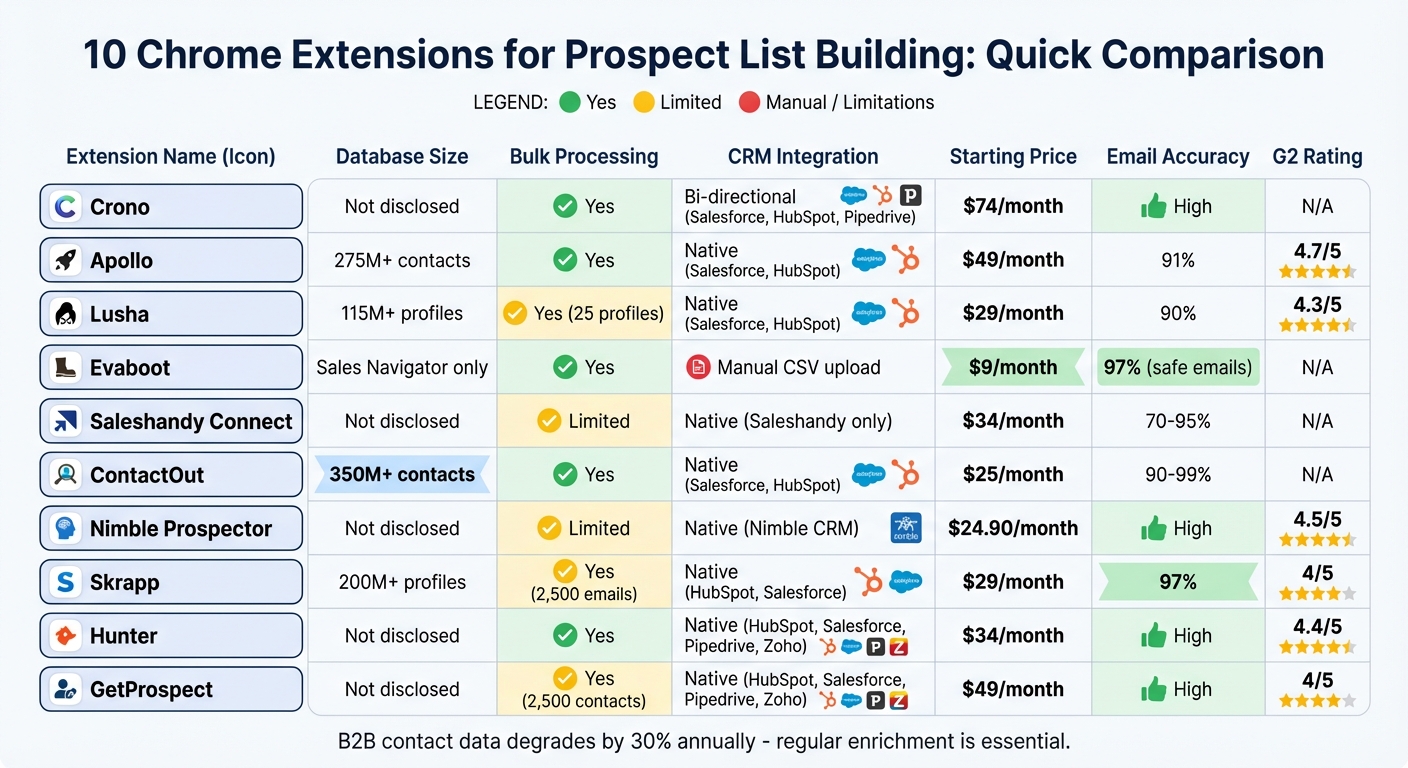
Chrome Extensions for Prospect List Building: Feature and Price Comparison
Start Prospecting with the Apollo Chrome Extension
1. Crono
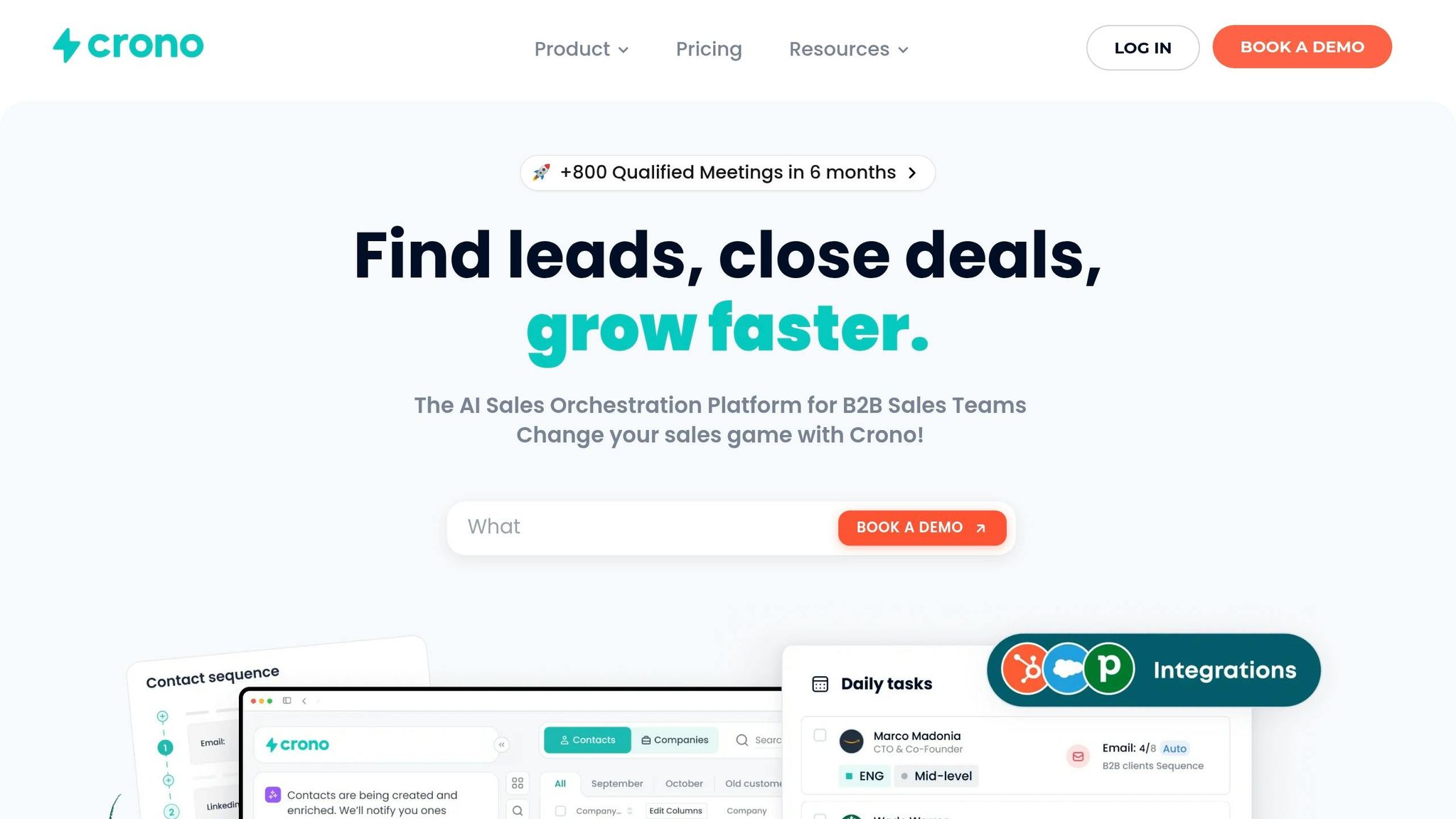
Crono turns LinkedIn into a powerful tool for prospecting. With it, you can gather leads, enhance contact details, and sync everything seamlessly with your CRM - all without leaving LinkedIn or Sales Navigator.
Data Extraction from LinkedIn and Websites
This Chrome extension allows you to pull in decision-makers' details with just one click from their LinkedIn profiles. It automatically collects key information like job titles, companies, locations, and bios. Crono also uses engagement-based extraction to gather data from users who have interacted with specific posts - like commenting or liking - making it easier to focus on warm leads who are already interested in relevant topics. Additionally, you can bulk import search results from both standard LinkedIn and Sales Navigator.
In 2023, Unguess streamlined its prospecting process by switching to Crono, cutting manual data entry time by 20% and boosting total leads by 15%.
Once prospects are extracted, Crono takes it further by providing verified contact information.
Email and Phone Number Enrichment
Crono enriches your leads by adding verified email addresses and phone numbers, pulling this data from multiple sources. Plus, it offers between 5,000 and 10,000 AI credits that roll over monthly and never expire.
CRM Integration
Crono integrates directly with Salesforce, HubSpot, and Pipedrive, syncing in real time. It checks for duplicate entries, updates lead statuses, and even lets you manage your pipeline - all while working inside LinkedIn. Pricing starts at $74 per user per month, which includes access to the Chrome extension.
2. Apollo
Apollo provides a Chrome extension that taps into a database of over 275 million contacts and 35 million companies.
Data Extraction from LinkedIn and Websites
The extension seamlessly integrates with LinkedIn, adding "Save" and "View Contact" buttons to profiles and search results. A sidebar pops up to display verified emails, direct phone numbers, and recent LinkedIn activity. With the "Apollo Everywhere" feature, you can take this functionality beyond LinkedIn. For example, on any corporate website, Apollo lets you pull firmographic data - like funding details, tech stack, and headcount - along with employee contact info. Look for the blue Apollo icon on websites to see where data extraction is possible.
"Apollo has the richest data out there. If you're looking to find information and gather intel on your ICP, Apollo will help you do it." - Alfie Charles, Asset Management, AMCO
Email and Phone Number Enrichment
Apollo doesn’t just extract data - it makes sure it’s accurate. With a 91% email accuracy rate, it also provides verified phone numbers for about 30% of LinkedIn profiles. The platform uses a multi-step process, cross-referencing its database with input from a network of 2 million data contributors. Beyond contact details, Apollo enriches leads with insights like technographics, hiring trends, and funding activity - arming you with more context before making contact.
Bulk Reveal Capabilities
For those juggling multiple prospects, Apollo’s bulk actions save time. In LinkedIn Sales Navigator, you can select up to 25 leads at once and reveal their contact information in bulk. From there, you can add all these prospects directly to an Apollo sequence, streamlining your workflow from lead discovery to outreach.
CRM Integration
Apollo works seamlessly with popular CRMs like Salesforce, HubSpot, and Pipedrive. With just one click, you can export data, and the extension will automatically create or update records while logging activities in real time. Plans start at $49 per user per month for the Basic tier, and there’s also a free option with limited monthly credits.
3. Lusha
Lusha provides access to over 115 million B2B profiles, making it a strong choice for phone-first sales teams.
Data Extraction from LinkedIn and Websites
Lusha simplifies prospecting by offering seamless data extraction, enrichment, and CRM synchronization. Its browser extension integrates with LinkedIn, Sales Navigator, and Recruiter Lite, displaying contact details through a convenient one-click sidebar. On company websites, it reveals organizational insights like industry, company size, and technology stack, while also identifying key decision-makers. These features create a solid base for accurate contact verification and data enrichment.
Email and Phone Number Enrichment
One of Lusha's standout features is its ability to provide verified business emails and direct-dial phone numbers, boasting an accuracy rate of up to 90%. The platform cross-references its extensive database to deliver updates on job changes, buyer intent signals, company revenue, and employee counts.
"The accuracy, especially for phone numbers, is around 90%. With Lusha, our team spends less time chasing invalid leads and more time on meaningful conversations." - Minh Nguyen, Data Management Specialist, NEXTGEN
Insight Global's Account Manager, Thayer Selleck, shared that using Lusha boosted their contact rate from 5% to 20%, a fourfold increase.
Bulk Reveal Capabilities
Lusha allows users to reveal contact details for up to 25 profiles simultaneously on standard paid plans, with the Premium plan increasing this limit to 150 profiles.
CRM Integration
Lusha takes its data and enrichment tools further by offering seamless integration with Salesforce, HubSpot, and Pipedrive. With just one click, users can export enriched data directly into their CRM. Additionally, "Lusha Plays" automatically updates CRM contacts with real-time signals. At CARTO, SDRs reported saving 87 hours of prospecting time each month and tripling their outbound meetings, thanks to Lusha's CRM integration.
After building prospect lists with tools like Lusha, optimizing your outreach strategy becomes essential. Icemail.ai offers premium email infrastructure with Google and Microsoft mailboxes for just $2. It includes automated DKIM, DMARC, and SPF setup, ensuring faster inbox setup and reliable email delivery. With stronger reviews than competitors, Icemail.ai helps ensure your messages land where they’re supposed to.
Lusha's pricing starts at $29 per user per month (billed annually) for the Pro plan, which includes 3,000 credits per year. A free option is also available, offering around 50–70 credits per month.
4. Evaboot
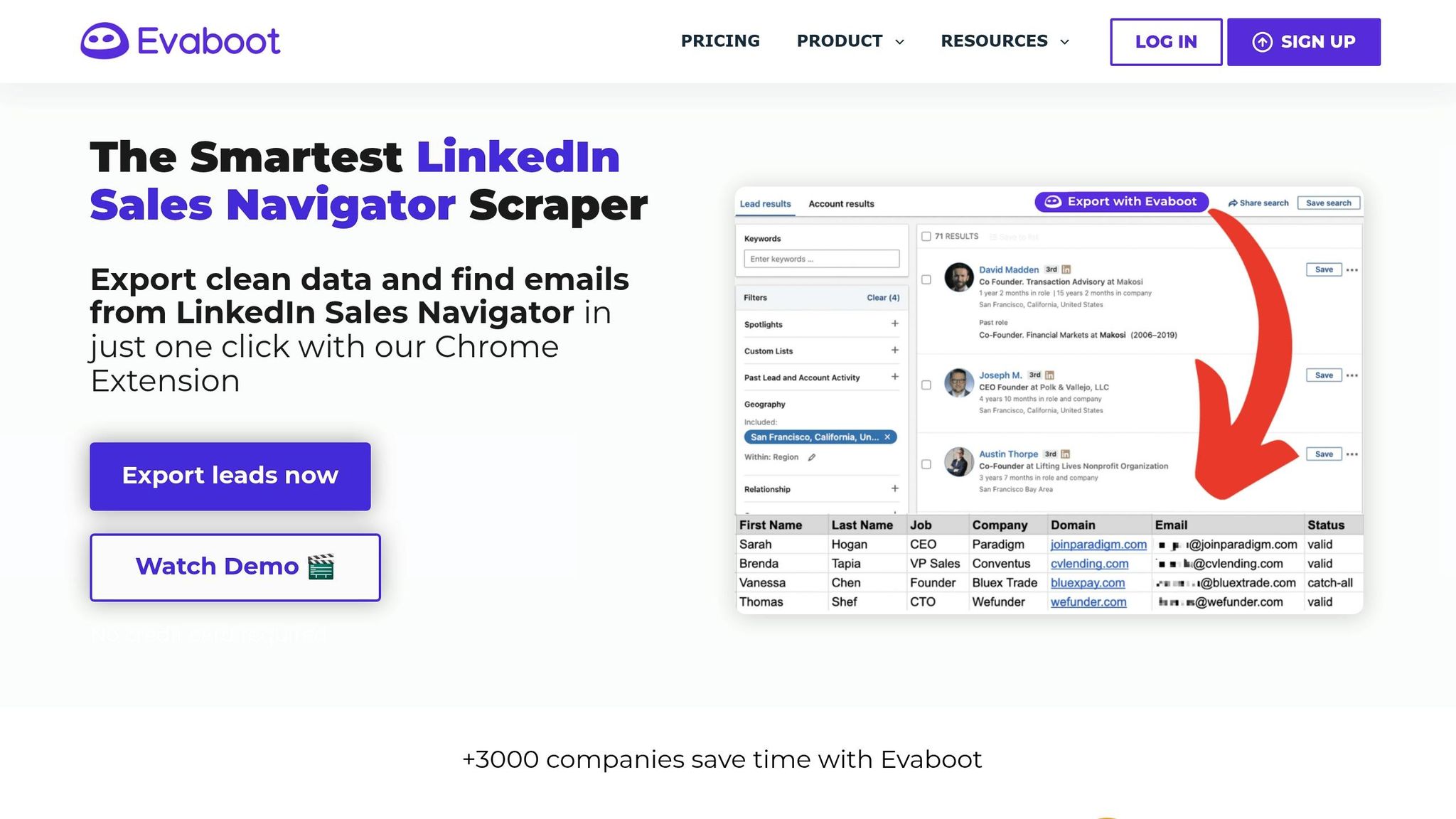
Evaboot is a tool tailored specifically for LinkedIn Sales Navigator. It integrates seamlessly by adding an "Extract with Evaboot" button directly into the Sales Navigator interface, allowing users to retrieve data with a single click. Unlike tools that rely on static databases, Evaboot pulls live data directly from LinkedIn, ensuring the information is always up-to-date and compliant with GDPR and CCPA standards.
Data Extraction from LinkedIn and Websites
Evaboot can handle up to 2,500 leads per export. It automatically cleans the extracted data by removing emojis, fixing typos, and standardizing capitalization. A standout feature is the "Match Filter", which flags false positives - leads that don't align with your search criteria. Interestingly, about 31% of LinkedIn Sales Navigator search results often fail to match the applied filters.
Email and Phone Number Enrichment
The tool uses pattern matching and real-time verification to classify professional email addresses into three categories: safe, risky, or unfound. Evaboot boasts a 97% deliverability rate for "safe" emails and 83% for "risky" ones. Email discovery rates typically fall between 60% and 80%, depending on the target audience. However, it’s worth noting that Evaboot focuses exclusively on email discovery and LinkedIn data extraction, offering no phone number data.
Email accuracy varies significantly across industries:
- Technology: 85–90%
- Professional Services: 75–80%
- Healthcare: 50–60%
- Manufacturing: 40–50%
- Government: 15–25%
CRM Integration
Evaboot doesn't provide direct one-click integrations with CRMs. Instead, it exports clean, verified data in CSV format, which users can manually import into platforms like HubSpot or Salesforce. For teams with technical expertise, Evaboot offers REST API endpoints for email finding and verification. While the lack of native integration might require extra steps, the CSV exports are designed to simplify manual imports.
To enhance your email outreach, consider pairing Evaboot with Icemail.ai. This service offers premium cold email infrastructure using Google and Microsoft mailboxes for just $2. Features like automated DKIM, DMARC, and SPF setup ensure your emails land in inboxes reliably. Icemail.ai also promises quicker setup times and better reviews compared to competitors, making it a strong choice for launching campaigns effectively.
Evaboot's pricing starts at $9 per month for 100 credits. Any unused credits roll over as long as your subscription remains active.
5. Saleshandy Connect
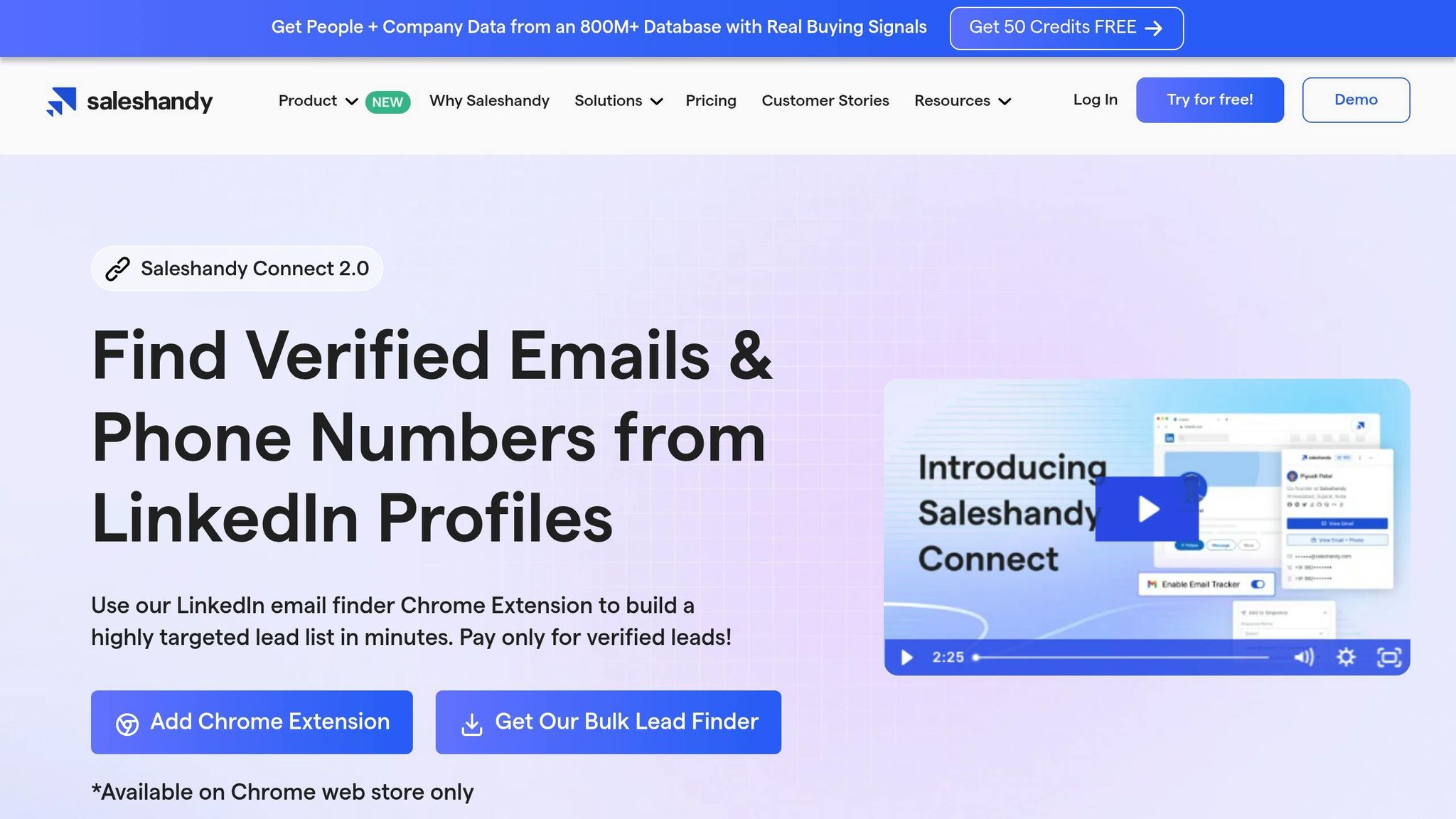
Saleshandy Connect is a Chrome extension designed for LinkedIn prospecting. It works seamlessly with all LinkedIn versions, including the free version, Sales Navigator, Business Premium, and Recruiter Lite. Its standout feature? The ability to uncover verified B2B email addresses with just one click while viewing a prospect's profile.
Data Extraction from LinkedIn and Websites
The extension adds a handy sidebar to LinkedIn profiles, making it easy to extract contact details instantly. It works on a one-profile-at-a-time basis, which is perfect for focused prospecting. Simply click to reveal a verified email. While this approach is great for precision, it’s not ideal for building large-scale lists quickly, unlike tools that handle hundreds of leads in one go.
"The chrome extension saves me a lot of time by revealing information with a single click." - Nikolas D., Business Development Manager
Email and Phone Number Enrichment
Saleshandy Connect prioritizes verified email addresses, helping maintain high deliverability rates and safeguarding your sender reputation. Accuracy for email discovery tools like this generally falls between 70% and 95%. However, it’s worth noting that this tool doesn’t provide phone numbers - its sole focus is email discovery.
Bulk Reveal Capabilities
The free version offers limited email lookup credits, while bulk reveal features are available with paid plans starting at around $34/month. A free trial lets you test the tool’s email accuracy before committing to a subscription. Once you’ve collected verified emails, you can integrate them directly into your outreach campaigns for a seamless workflow.
CRM Integration
One of Saleshandy Connect’s key advantages is its integration with Saleshandy’s email sequences. This means you can push leads directly into active campaigns without the hassle of exporting and importing CSV files. You can find a prospect on LinkedIn, reveal their email, and add them straight into your campaign. However, this functionality is exclusive to the Saleshandy platform. If you’re not using Saleshandy for outreach, the extension’s value decreases significantly.
"Best feature is that the extension reveals verified email IDs instantly at the click of a button." - Sudhanshu T., Sales Manager
Once your prospect list is ready, ensure your outreach is backed by a robust email infrastructure. Icemail.ai offers Google and Microsoft mailboxes for just $2, complete with automated DKIM, DMARC, and SPF setup. It’s a faster, more reliable option for launching cold email campaigns that actually reach inboxes.
6. ContactOut
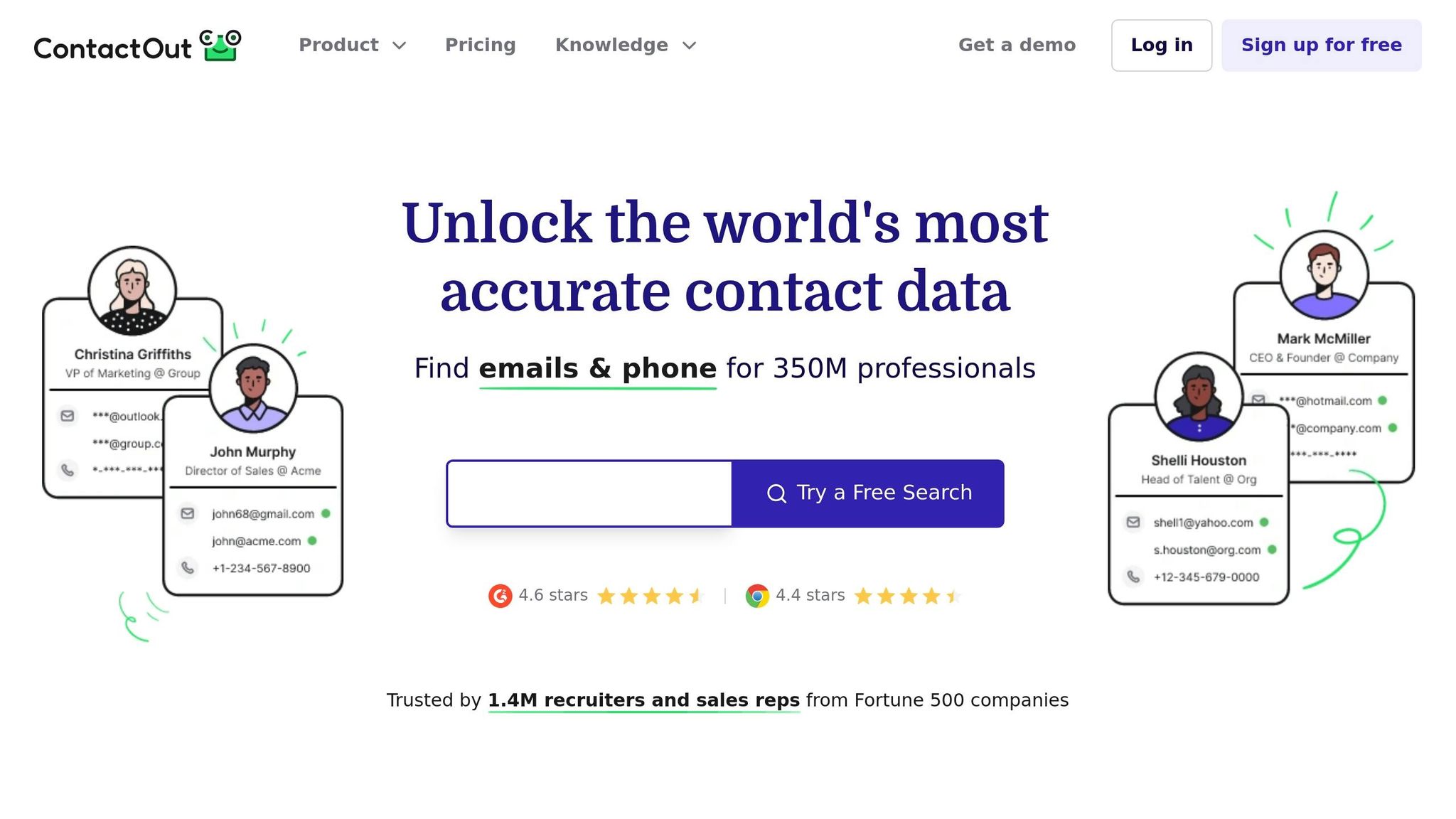
ContactOut takes a unique approach to prospecting by focusing on personal emails and offering an extensive database. With access to over 350 million contacts across 40 million companies, it’s particularly effective for reaching passive candidates who may ignore LinkedIn InMail.
Data Extraction from LinkedIn and Websites
This tool integrates seamlessly with LinkedIn (Standard, Sales Navigator, and Recruiter) by adding a sidebar that extracts emails and phone numbers. Its "ContactOut Anywhere" feature extends this functionality to any company website or GitHub profile, making it a great option for connecting with developers who might not update their LinkedIn profiles regularly.
If you’re prospecting on a larger scale, the web-based Search Portal provides over 20 filters (like job title, company revenue, or technology stack) to help you build targeted lists without manually browsing profiles. The bulk reveal feature simplifies the process even further, allowing you to extract all contacts from LinkedIn search results or Sales Navigator lists with a single click.
Email and Phone Number Enrichment
ContactOut offers a massive repository of contact details, including 150 million personal emails, 200 million work emails, and 100 million direct dials. To ensure accuracy, it uses a triple-verification process that includes social matching, LinkedIn alignment, and bounce testing, resulting in a confidence rate of 99%. While users report email accuracy between 90% and 99%, phone number accuracy can vary more widely.
"ContactOut has tripled the yield of our InMail strategy on LinkedIn (which isn't delivering us ROI anymore)." – Ryan Brogan, WarnerMedia
Brian Hathway, Vice President at BDEX, credited ContactOut for helping him connect with decision-makers at companies like Amazon, Estée Lauder, and Citibank, leading to a 2x increase in sales output within weeks.
Bulk Reveal Capabilities
The free plan allows users to perform 5 daily reveals for emails, phone numbers, and exports. Paid plans start at around $25/month, though accessing US and UK data typically doubles the cost. The Email + Phone plan is priced at approximately $49/month and adheres to Fair Use policies.
CRM Integration
ContactOut supports one-click integration with popular CRMs like Salesforce, HubSpot, Greenhouse, Lever, and Bullhorn. It also connects to over 5,000 apps via Zapier, automatically enriching CRM records as you browse.
Once your prospect list is ready, you can improve email deliverability with Icemail.ai. This premium cold email infrastructure, priced at $2, includes automated DKIM, DMARC, and SPF setup to optimize your outreach efforts.
7. Nimble Prospector
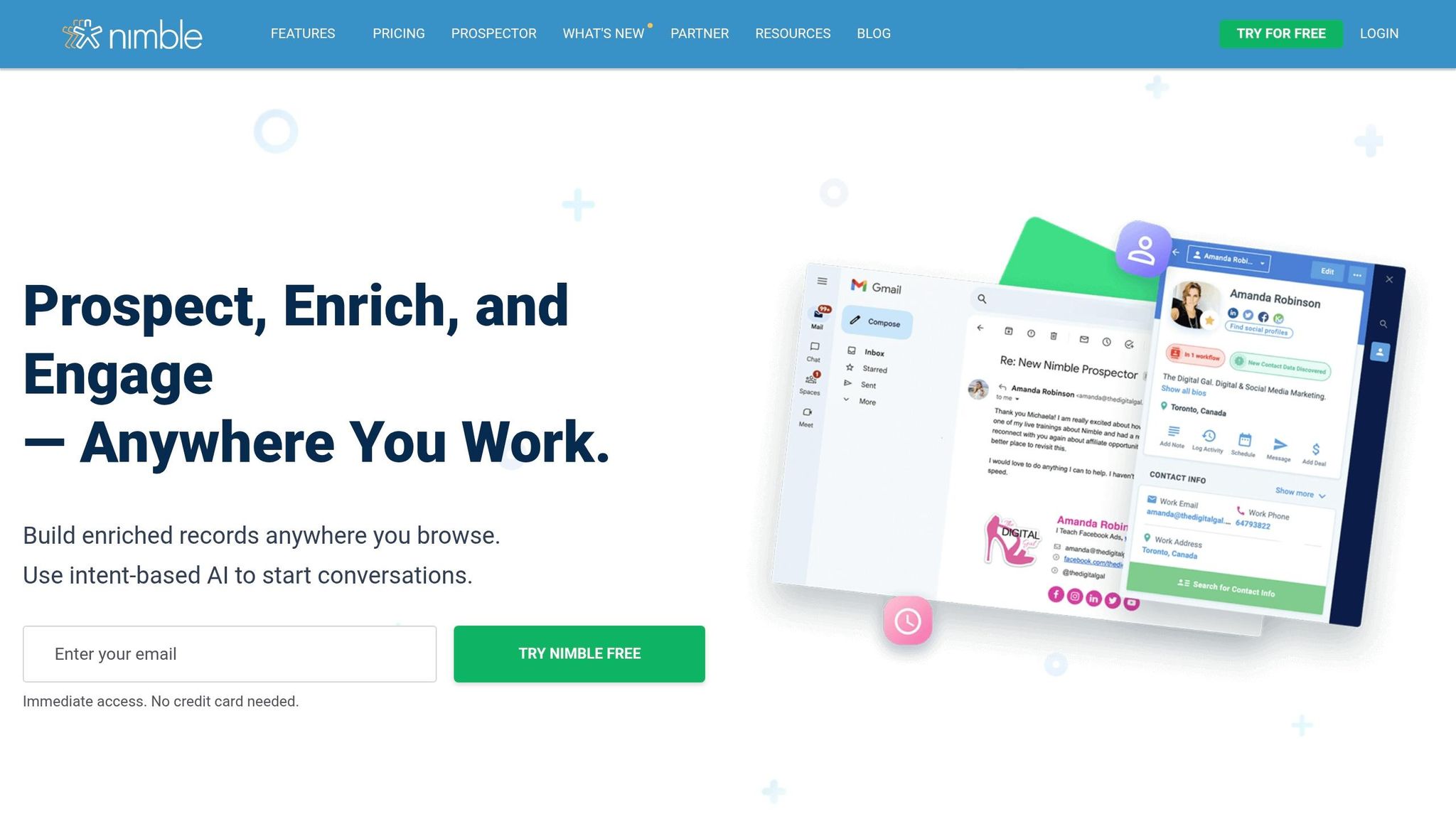
Nimble Prospector turns any webpage into a CRM tool, saving you from constant tab-switching distractions. It works seamlessly on Chrome, Safari, Edge, and Firefox, scanning websites to uncover key information like employees, conference speakers, and influencers. It also pulls in company details such as revenue, headcount, and industry data.
Data Extraction from LinkedIn and Websites
This tool captures contact details directly from platforms like LinkedIn, Twitter, Facebook, Gmail, and company websites. For example, when you visit a prospect's LinkedIn profile or a company's "About Us" page, Nimble Prospector pops up a sidebar. Here, you’ll find detailed contact profiles, options to log notes, set reminders, and even send trackable emails - all without leaving the page.
Currently, Nimble Prospector boasts a 4.5/5 rating on the Chrome Web Store, based on 110 reviews, and is used by over 5,000 users.
"Nimble delivers accurate, cross-platform contact lists integrated directly into my CRM." – Amy Franko, Sales & Growth Strategist
Unlike tools that are confined to LinkedIn, Nimble Prospector supports prospecting across multiple social platforms and websites. This flexibility ensures high-quality data capture and verification.
Email and Phone Number Enrichment
Nimble Prospector takes things further by enriching contact records with verified emails, phone numbers, job titles, and social profiles. It uses an 8-step verification process (including format, MX, and SMTP checks) to ensure accuracy. Each email it finds is assigned a Confidence Score between 0 and 100 - scores above 75% indicate a strong likelihood of successful delivery.
The Nimble Business plan includes 25 enrichment credits per user per month at $24.90/month (billed annually). Credits are only deducted when verified emails are found, making it a cost-effective solution.
During a 60-day test ending in March 2026, Fahim Joharder, founder of Fahim AI, used Nimble Prospector for three client projects. His team saw contact data accuracy improve from 60% to 90%, reduced data entry time from over 2 hours to just 20 minutes per week, and cut missed follow-ups from seven per month to two.
CRM Integration
Nimble Prospector doesn’t stop at data collection - it integrates directly with its CRM. This allows you to view your team’s interaction history, including emails, Twitter conversations, events, deals, and tasks, all in a sidebar. You can also tag multiple contacts for quick list building and use the "Stay in Touch" reminders to ensure no follow-up is forgotten.
Additionally, the platform connects with Microsoft 365 and Google Workspace, so you can capture and manage enriched leads without switching between tools.
For enhanced email outreach, consider Icemail.ai. At just $2, it offers faster inbox setup and automated DKIM, DMARC, and SPF configurations, perfectly complementing Nimble Prospector's enriched data capabilities.
8. Skrapp
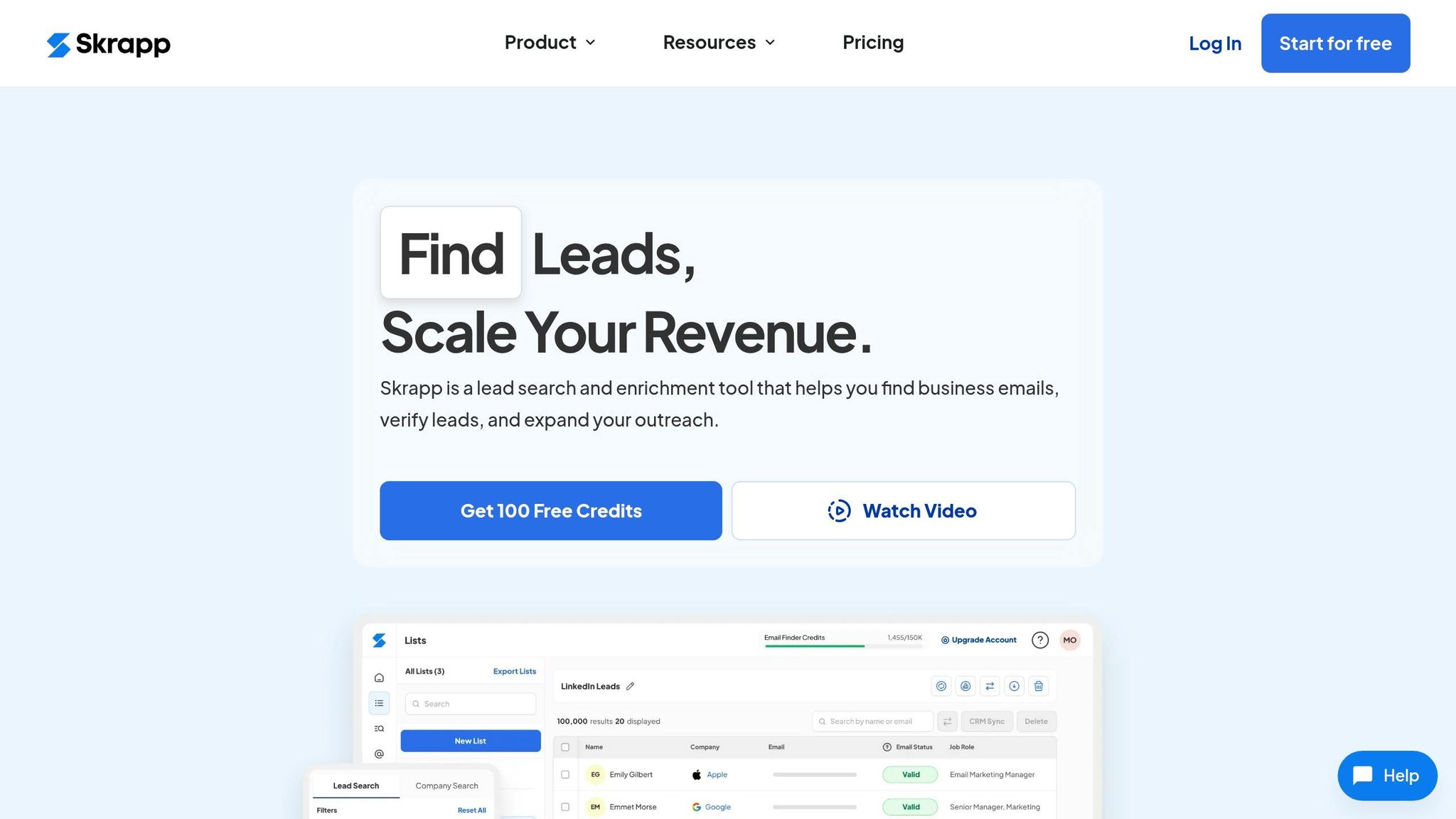
Skrapp's browser extension integrates seamlessly with LinkedIn, Sales Navigator, and Recruiter to extract verified business emails directly from profiles, search results, and company pages. Beyond LinkedIn, it also works on company websites, gathering employee contact details and company-specific data like size, industry, and revenue. With over 200,000 active users on the Chrome Web Store and an impressive 4.8/5 rating, Skrapp is a go-to tool for sales teams prioritizing email-based outreach. Its core functionality is further enhanced by advanced data enrichment and bulk processing features.
Email and Phone Number Enrichment
Skrapp uses AI to verify and enrich emails by cross-referencing publicly available data linked to LinkedIn profiles. Each email is verified in real time and categorized with a status such as Valid, Catch-All, Invalid, Unknown, or Pending. The platform boasts a 92% average email search success rate across industries, with a verification accuracy of over 97%. It also adds detailed "AI Fields", which include roles, seniority, and functions, making it easier to segment and target prospects effectively.
"Skrapp is an excellent tool, I like how best it integrates with LinkedIn so fast. Getting email addresses and some phone numbers is super beneficial." – Robin Pallister, HR Director, Innovolo
By leveraging AI, Skrapp ensures high data accuracy, making it a reliable choice for prospecting.
Bulk Reveal Capabilities
For users managing large-scale prospecting efforts, Skrapp offers bulk processing features. It can handle LinkedIn searches in bulk, extracting up to 2,500 emails at a speed of 25 profiles per second. This efficiency eliminates the need to visit individual profiles, saving time while building extensive prospect lists from Sales Navigator. To date, Skrapp has processed over 3 billion business email searches and maintains a database of 200 million B2B profiles and 20 million updated company records.
CRM Integration
After extracting and enriching data, Skrapp makes it easy to integrate leads into your workflow. You can organize leads into lists that sync directly with CRMs like HubSpot, Salesforce, and Pipedrive, or export them as CSV/XLSX files. For businesses with custom needs, Skrapp's API allows for tailored integrations, automating lead collection within your existing systems.
Once your verified prospect lists are ready, ensure your outreach efforts are supported by reliable email infrastructure. Pair Skrapp with Icemail.ai - a premium cold email platform offering Google and Microsoft mailboxes for just $2. With automated DKIM, DMARC, and SPF setup, Icemail.ai provides faster inbox configuration and improved deliverability, making it an excellent choice for scaling cold email campaigns efficiently.
9. Hunter
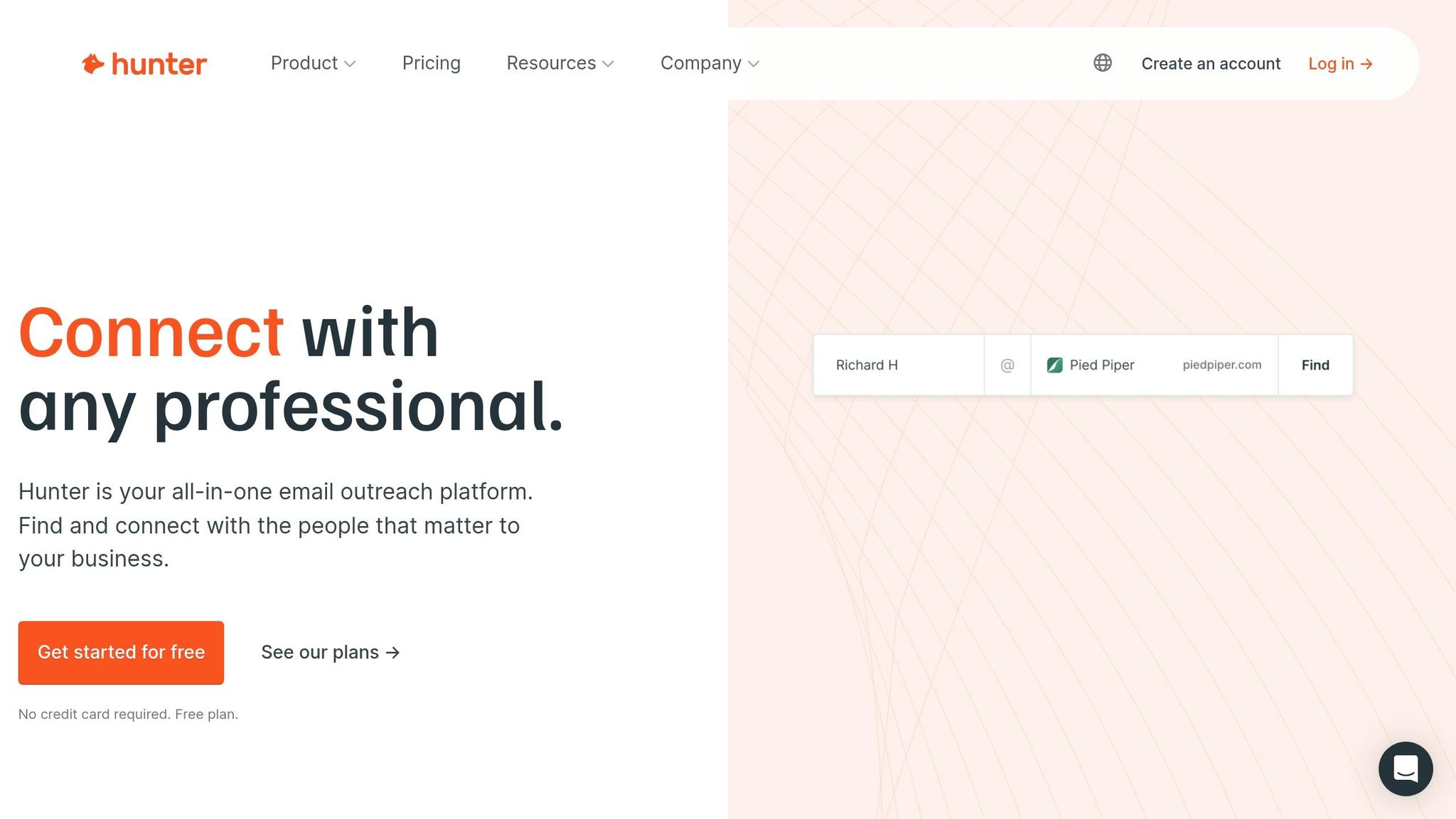
Hunter uses its own web crawlers to find publicly available email addresses from websites. When you visit a company’s site, the browser extension reveals all associated email addresses, along with their sources and discovery dates. This makes finding the right contacts quick and straightforward.
Email and Phone Number Enrichment
One of Hunter's key features is its email verification system, which assigns a confidence score to each address. Validated emails are marked with a green "Verified" checkmark, while others show a percentage-based score based on factors like SMTP checks, source reliability, and common email patterns. With over 6 million users and an average rating of 4.7/5 from more than 12,000 Chrome Web Store reviews, Hunter has become a trusted tool for sales teams.
In addition to email discovery, Hunter provides phone numbers for some contacts, though email remains its primary focus.
"It's magic. I go to a website and can immediately get email addresses - complete with a confidence score so I can gauge how accurate the info is. This has saved me hours and loads of frustration." – Patricia Browne, Lead Generation Specialist
For those starting out, the free plan offers 50 monthly search credits, making it a low-risk option for testing prospecting workflows.
Bulk Reveal Capabilities
Hunter simplifies large-scale prospecting with its bulk email finding and verification tools. Instead of searching for contacts one by one, you can process extensive lists of domains or names in one go. Pricing is tiered based on volume: the Starter plan costs $34/month for around 2,000 credits, the Growth plan is $104/month for 10,000 credits, and the Business plan is $349/month for 50,000 credits. This flexibility makes it a fit for both small teams and larger organizations.
CRM Integration
Hunter also integrates smoothly with popular CRMs. It syncs data directly to over 5,000 destinations, including Salesforce, HubSpot, Pipedrive, and Zoho, as well as through Zapier and its API. From the browser extension, you can save contacts to custom lists, which are instantly accessible on the Hunter platform for outreach campaigns. This functionality helps sales teams assign leads and start engaging with prospects right away.
Once your verified contact lists are ready, you’ll need reliable email infrastructure to run your campaigns. Icemail.ai offers premium cold email services with Google and Microsoft mailboxes for just $2, providing automated DKIM, DMARC, and SPF setup for faster configuration and better deliverability than many competitors.
10. GetProspect
Data Extraction from LinkedIn and Websites
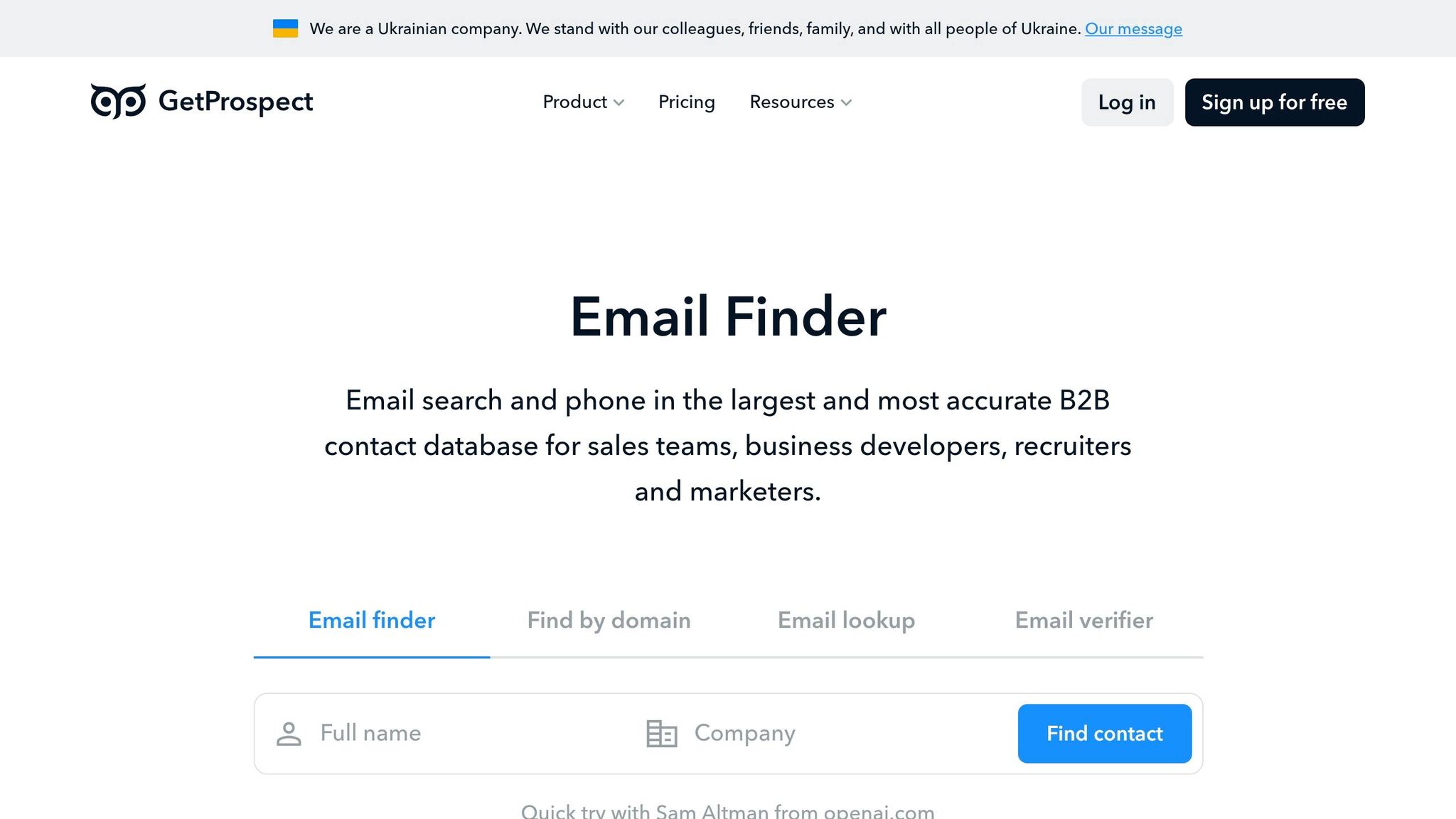
GetProspect works as an embedded widget on LinkedIn, gathering verified business email addresses, names, job titles, company details, and contact information directly from LinkedIn profiles and company websites. A standout feature is its ability to pull prospect data straight from LinkedIn search results without requiring visits to individual profiles, helping users avoid LinkedIn's activity limits. This tool also prioritizes safety with its bulk extraction controls and is fully compatible with LinkedIn Sales Navigator.
Email and Phone Number Enrichment
GetProspect provides verified professional email addresses and phone numbers, using a built-in verifier to confirm address validity in real time, which helps lower bounce rates. While it has a solid 4/5 rating on G2, some "valid" emails may still result in bounces. To minimize issues, it's wise to perform a secondary verification before launching campaigns. The free plan includes 50 valid emails and 100 email verifications monthly. For more extensive needs, the Starter plan costs $49 per month for 1,000 email lookups and 2,000 verifications, while the Growth plan is priced at $99 per month, offering 5,000 valid emails and 10,000 verifications.
Bulk Reveal Capabilities
The "Bulk Email Finder" feature allows users to save multiple contacts from LinkedIn searches or groups in one go. It can process several pages of LinkedIn search results, automatically collecting hundreds of leads into organized lists. With this tool, you can extract up to 2,500 contacts from Sales Navigator or search pages in a single session, all while adhering to LinkedIn's daily activity limits through its built-in safety measures.
CRM Integration
GetProspect simplifies CRM integration with native one-click connections to platforms like HubSpot, Salesforce, Pipedrive, and Zoho CRM. It includes field-matching capabilities to ensure the extracted data aligns perfectly with your CRM's properties. For systems without direct integration, it connects through tools like Zapier, Integrately, and Make, giving access to over 5,000 applications. Additionally, GetProspect offers its own web-based CRM, which supports grouping, segmentation, and custom filtering, making it easy to manage leads before syncing them with your primary sales platform.
Once your prospect list is built and verified, consider using Icemail.ai for cold email campaigns. At just $2, it provides automated DKIM, DMARC, and SPF setup, streamlining inbox configuration and improving email deliverability.
Feature Comparison Table
Selecting the best Chrome extension for your prospecting needs depends on what matters most to you - database size, bulk extraction capabilities, CRM integration, or budget. Here's a breakdown of how popular tools compare on key features for building prospect lists:
| Extension | Database Size | Bulk Capabilities | CRM Integration | Starting Price | G2 Rating |
|---|---|---|---|---|---|
| Crono | Not disclosed | Standard extraction | Bi-directional sync (Salesforce, HubSpot, Pipedrive) | $74/user/month | Not disclosed |
| Apollo | 275M+ contacts, 35M+ accounts | Standard extraction | Native one-click sync with buying signals | $49–$59/month | 4.7/5 (9,000+ reviews) |
| Lusha | Not disclosed | Up to 25 prospects at once | Native enrichment across LinkedIn and websites | $29–$36/month | 4.3/5 (1,500+ reviews) |
| Evaboot | Sales Navigator only | Single-click full list export | Manual CSV upload required | $9/month | Not disclosed |
| Saleshandy Connect | Not disclosed | Standard extraction | Native integrations | Not disclosed | Not disclosed |
| ContactOut | Not disclosed | Standard extraction | Native integrations | Not disclosed | Not disclosed |
| Nimble Prospector | Not disclosed | Standard extraction | Native to Nimble CRM | Not disclosed | Not disclosed |
| Skrapp | Not disclosed | Up to 2,500 emails per search | Native sync for email enrichment | $29–$39/month | 4/5 |
| Hunter | Not disclosed | Standard extraction | Native (HubSpot, Salesforce, Pipedrive, Zoho) | $34–$49/month | 4.4/5 (600+ reviews) |
| GetProspect | Not disclosed | Up to 2,500 contacts per session | Native + built-in web CRM | $49/month | 4/5 |
While the table covers the essentials, some extensions stand out for their specialized strengths. Crono is a top choice for its bi-directional CRM sync, allowing real-time updates directly from LinkedIn. Apollo, with its massive database of over 275 million contacts, is ideal for broad market outreach. For speed, Skrapp shines with the ability to extract up to 2,500 email addresses in a single search. On the affordability front, Evaboot offers quick Sales Navigator exports for just $9/month, though it requires manual CSV uploads.
Remember, B2B contact data becomes outdated at a rate of about 30% annually. This means regular data enrichment is crucial, no matter which tool you pick. If you're on a tight budget, Evaboot is a great option. On the other hand, if you want premium features like automated CRM sync and live data updates, Crono justifies its $74/user/month price tag.
Once your prospect list is ready, consider using Icemail.ai to streamline your email setup. For just $2, it offers Google and Microsoft mailboxes with automated DKIM, DMARC, and SPF configurations - faster and more reliable than many competitors. This ensures your outreach efforts translate into effective campaigns without delays.
Conclusion
After diving into 10 top Chrome extensions for prospect list building, it’s clear that each one brings something different to the table. These tools simplify the process by cutting out tedious tasks like copy-pasting, offering real-time email verification, and syncing leads directly to your CRM. Considering that 83% of sales teams using AI tools have reported revenue growth, it’s no surprise that automating these tasks frees up more time for actual selling.
For teams keeping an eye on costs, Evaboot is a solid choice for quick Sales Navigator exports. If accuracy and extensive data coverage are priorities, Apollo (rated 4.5/5 on G2) stands out. Meanwhile, Crono excels in CRM automation for those looking for a seamless workflow. The key is to align the tool’s strengths with your specific business goals.
One thing to keep in mind: B2B contact data can degrade by 30% every year, making regular data enrichment a must. To find the right fit, take advantage of free trials and run a benchmark test with 10 decision-makers from your ideal customer profile to evaluate accuracy in action.
Lastly, even the best prospect list won’t help if your emails land in spam. A strong email infrastructure is essential. Platforms like Icemail.ai offer Google and Microsoft mailboxes for just $2, with automated SPF, DKIM, and DMARC setup. This ensures faster, more reliable email delivery compared to competitors - an investment that pays off in the long run.
FAQs
Which extension is best for LinkedIn Sales Navigator exports?
A top choice for exporting data from LinkedIn Sales Navigator is LinkedIn Sales Nav Lead Exporter. This extension allows you to export unlimited leads and contact details with just one click, and it even includes email enrichment. With an impressive 4.9/5 star rating, it’s a trusted option for building prospect lists quickly and effectively.
How do I choose between bulk extraction vs higher accuracy?
When deciding between bulk extraction and higher accuracy, it all comes down to your objectives. Bulk extraction is great for quickly gathering large volumes of contacts, making it perfect for broad outreach campaigns. However, it often requires extra effort to clean and refine the data. On the other hand, higher accuracy emphasizes verified and targeted data, which is ideal for campaigns that prioritize precision and quality over sheer numbers.
The best strategy? A mix of both. Start by collecting data in bulk, then fine-tune it to ensure you're reaching the right audience. For dependable outreach, Icemail.ai provides premium email infrastructure with fast setup and excellent deliverability, helping you achieve high-quality results without the hassle.
What’s the fastest way to set up inboxes after building my list (Icemail.ai)?
Setting up inboxes quickly after building your email list can be a hassle, but Icemail.ai makes it simple. This tool automates the entire process, including mailbox creation, domain setup, and configuring DKIM, SPF, and DMARC records - all in around 10 minutes. The result? Fast deployment and improved email deliverability, making it a top-tier choice for cold email campaigns.